Zoho Key Services (ZKS)
Connect Zia to supported AI models using Zoho Key Services (ZKS). ZKS provides secure, Zoho-managed access to supported OpenAI models and Zoho-hosted large language models (LLMs) without requiring you to generate, configure, or manage API keys.
Simply enable ZKS to securely access AI capabilities with minimal setup and administrative overhead.
Why choose ZKS?
- Reduced administrative overhead: Zoho securely manages API key provisioning, rotation, and storage, allowing your team to focus on monitoring instead of credential management.
- Instant access: Enable ZKS once to instantly access supported AI models in Zia.
- Secure by design: API keys never pass through your environment. Zoho manages authentication through its secure infrastructure, helping maintain security and compliance standards.
Prerequisites
Before configuring ZKS, ensure that you have:
- An active Zoho account associated with your organization.
- Accepted Zoho's terms and licensing requirements for using ZKS.
Supported AI providers and data center availability
The AI providers available through ZKS vary by data center. The table below shows current regional availability.
| Provider | Supported data centers |
|---|---|
| Zia (Zoho-hosted LLM) | US, IN, EU, AU, CA, UK, CN |
| OpenAI | US, IN, AU, CA, JP |
- The available AI providers depend on your plaform's data center.
- If a provider is not listed for your data center, that provider will not be available in Zia for your account.
How to integrate Zia using ZKS
Below are the steps for integrating Zia using ZKS:
- Log in to your account.
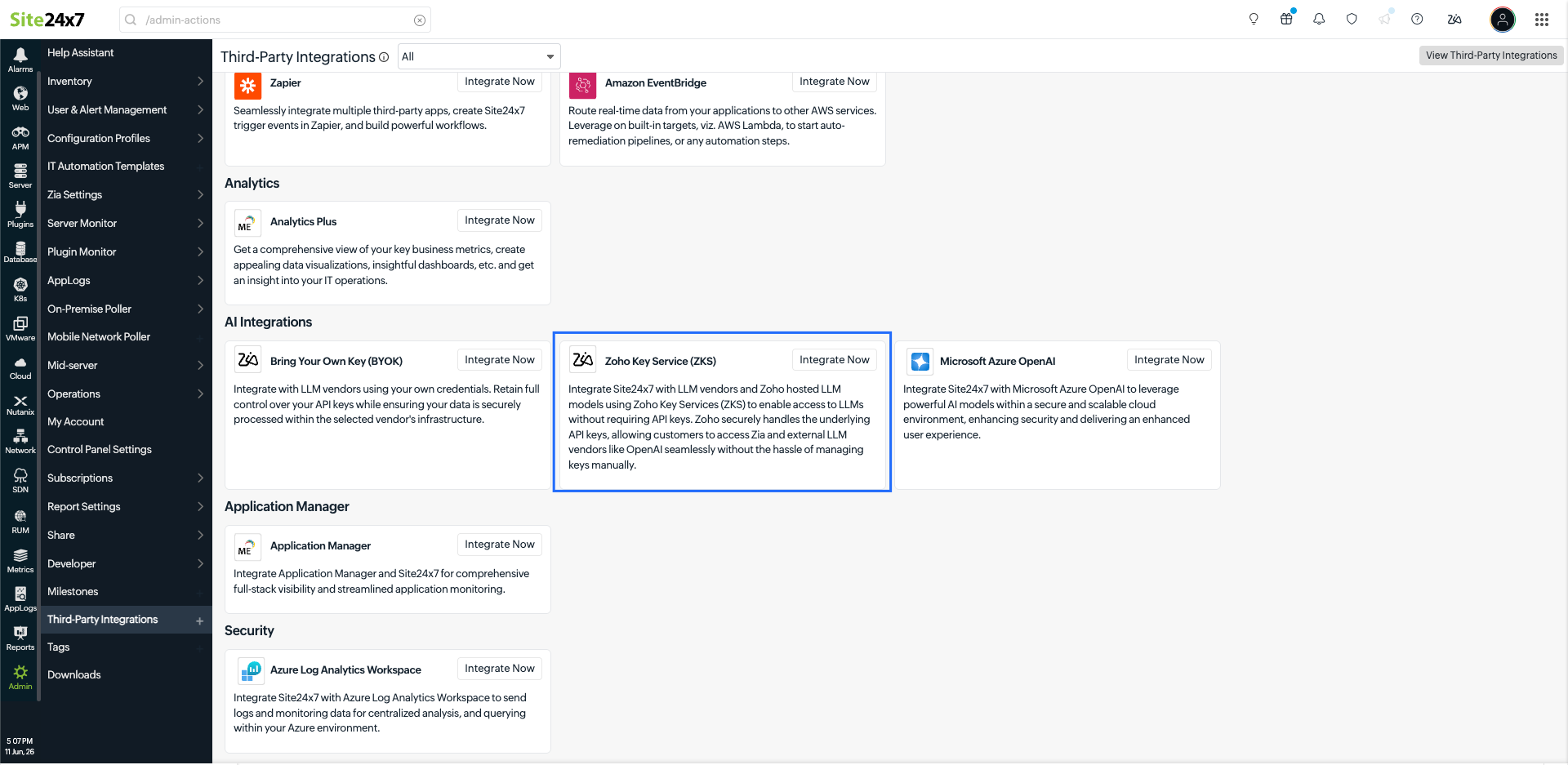
- Navigate to Admin > Third-Party Integration > Zoho Key Services (ZKS). Alternatively, click the Zia icon
 in the upper-right corner of the page and select Add Zia Integration.
- Configure the following fields:
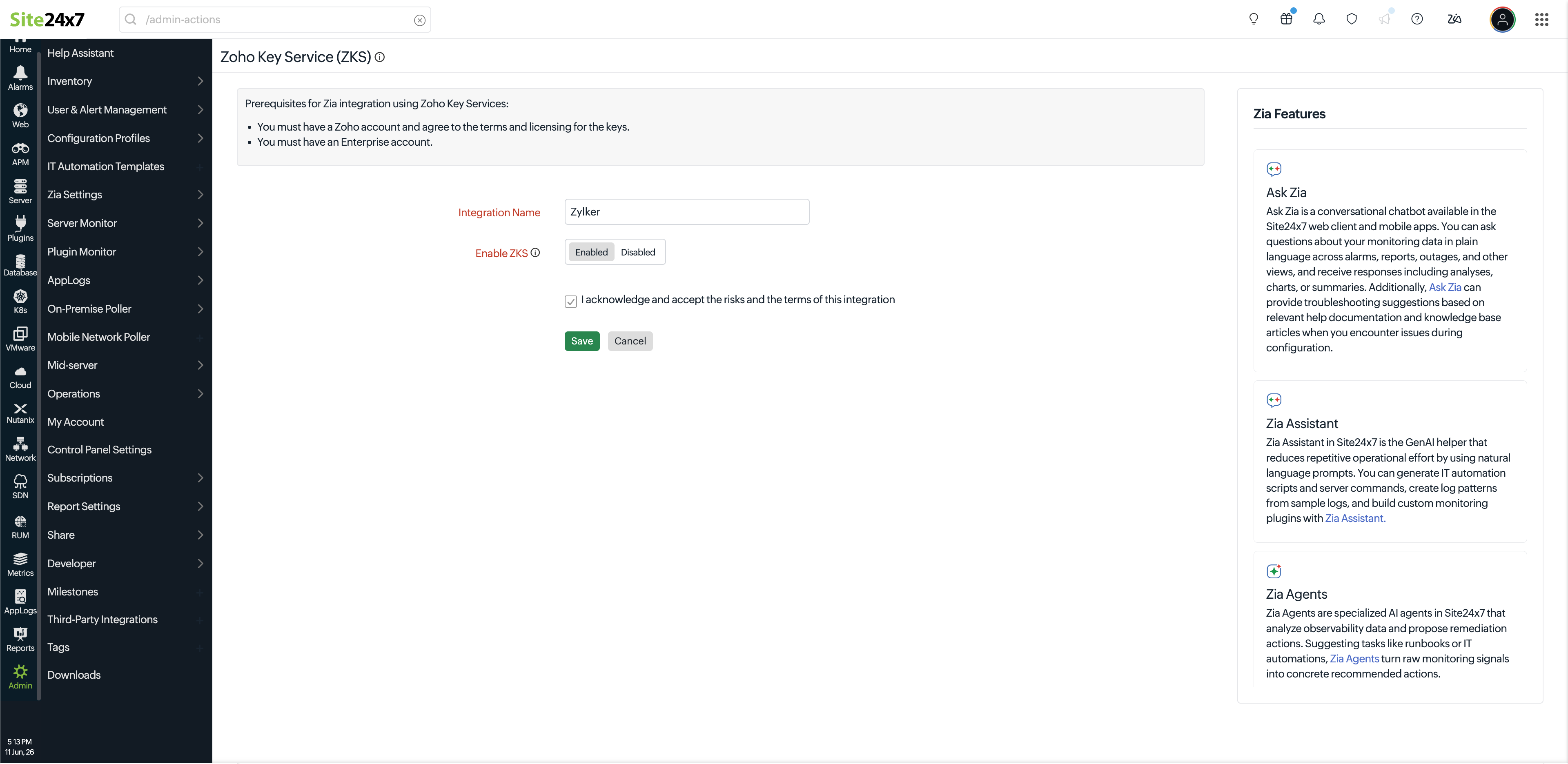
- Integration Name: Enter a name for the ZKS integration. This will help you identify the integration within the platform.
- Enable ZKS: Enable this option to use ZKS. When enabled, Zoho securely manages the authentication required to access supported AI models, eliminating the need to generate or manage API keys.
- Check the acknowledgment box to confirm that you understand and accept the risks and terms of the integration agreement.
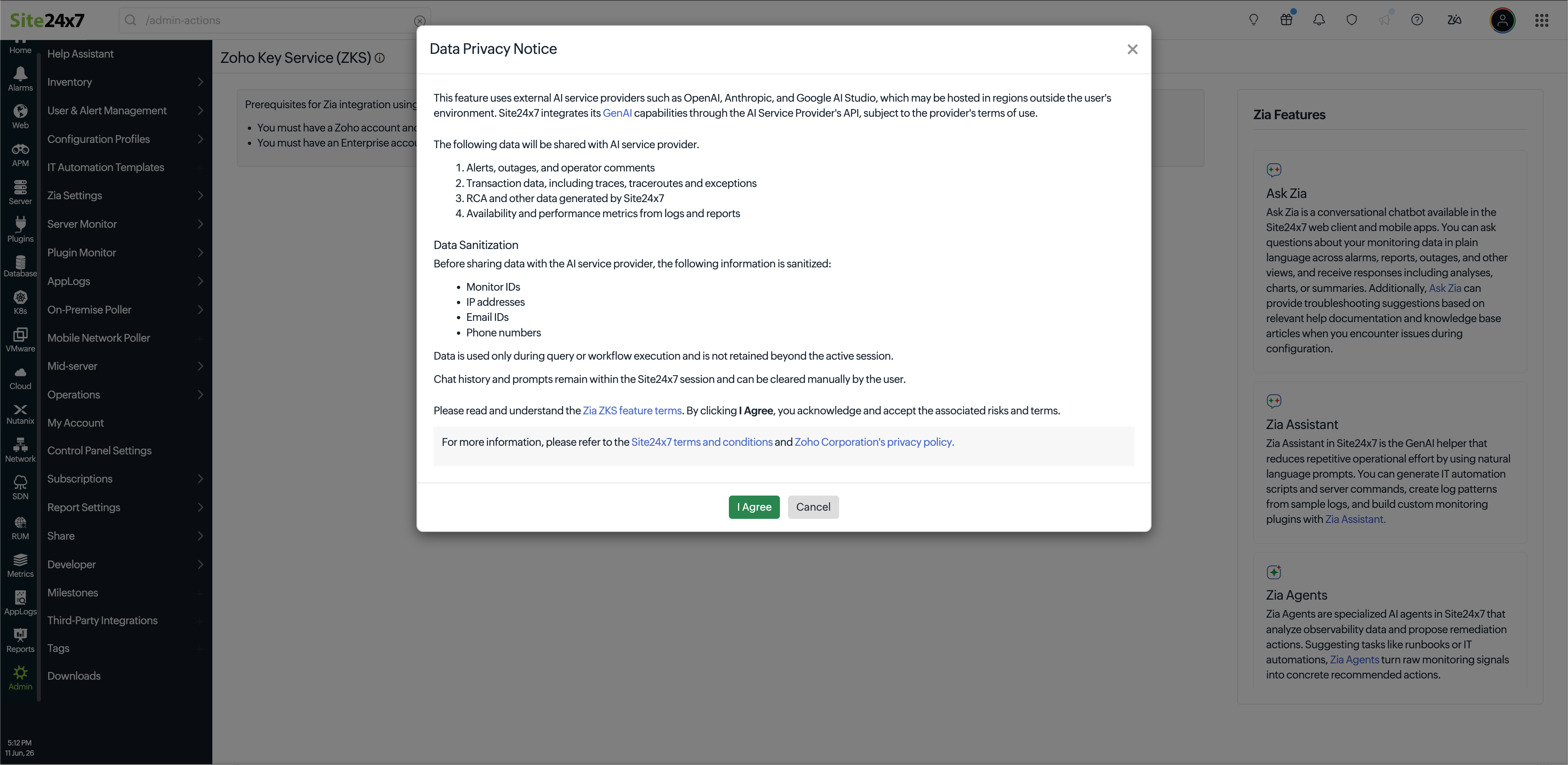
- A Data Privacy Notice pop-up window will appear. Review the notice and click I Agree to proceed.
- Click Save to save the integration.
If you have configured multiple AI integrations, you can select the required AI provider or model from the drop-down menu in Zia before submitting your prompt.
AI credits and billing
Zia uses AI credits to process requests made through Zoho Key Services (ZKS). Each ZKS plan includes a predefined allocation of AI credits for every billing cycle, which you can use to access Zia's AI capabilities.
AI credits are consumed based on the number of tokens processed by the selected AI model. Credit consumption varies depending on the AI operation performed, the request size, and the length of the generated response.
You can view your ZKS credit details by navigating to Admin > Subscription > Plan Details and License Usage Summary. For more information about AI credit consumption, refer to the ZKS AI credits page.
Once all available AI credits are exhausted, Zia stops processing new AI requests and a Credit limit reached message is displayed in the Zia chat window.
To continue using Zia after your AI credits are exhausted, contact our support team to purchase additional AI credits or upgrade your plan, if applicable.