
Workflow Functions in Site24x7
Workflow Functions are custom logic units written in a scripting language that enhance the intelligence of Workflows (Powered by Qntrl). They allow you to process data, retrieve credentials using OAuth, access REST APIs and APIs, validate configuration settings, invoke API functions, execute automations, and interact with ITSM, Zoho, or third-party services securely.
Each Workflow Function performs a specific task within a larger Workflow. The output returned by one function can be used as input for subsequent functions or automation steps, enabling data flow and conditional execution across the Workflow.
Workflow Function can be written in the following scripting languages:
- Zoho Deluge: A scripting language for building business logic and integrating seamlessly with Zoho services.
- JavaScript: A programming language used to implement dynamic logic, API interactions, and advanced data processing within Workflow Functions.
Use cases
- When a production server becomes unresponsive, the system detects the outage and automatically restarts the service or instance. This reduces downtime without waiting for manual intervention.
- When a high-severity alert is triggered (e.g., database CPU > 90%), a ticket is automatically created in tools like ServiceNow or Jira Service Management and assigned to the right team with relevant diagnostics attached.
- When an employee exits the organization, automation immediately disables access across systems such as Active Directory and cloud apps, thereby preventing security risks and ensuring compliance.
Creating functions
To create a Workflow Function, follow the steps below:
- Log in to Site24x7.
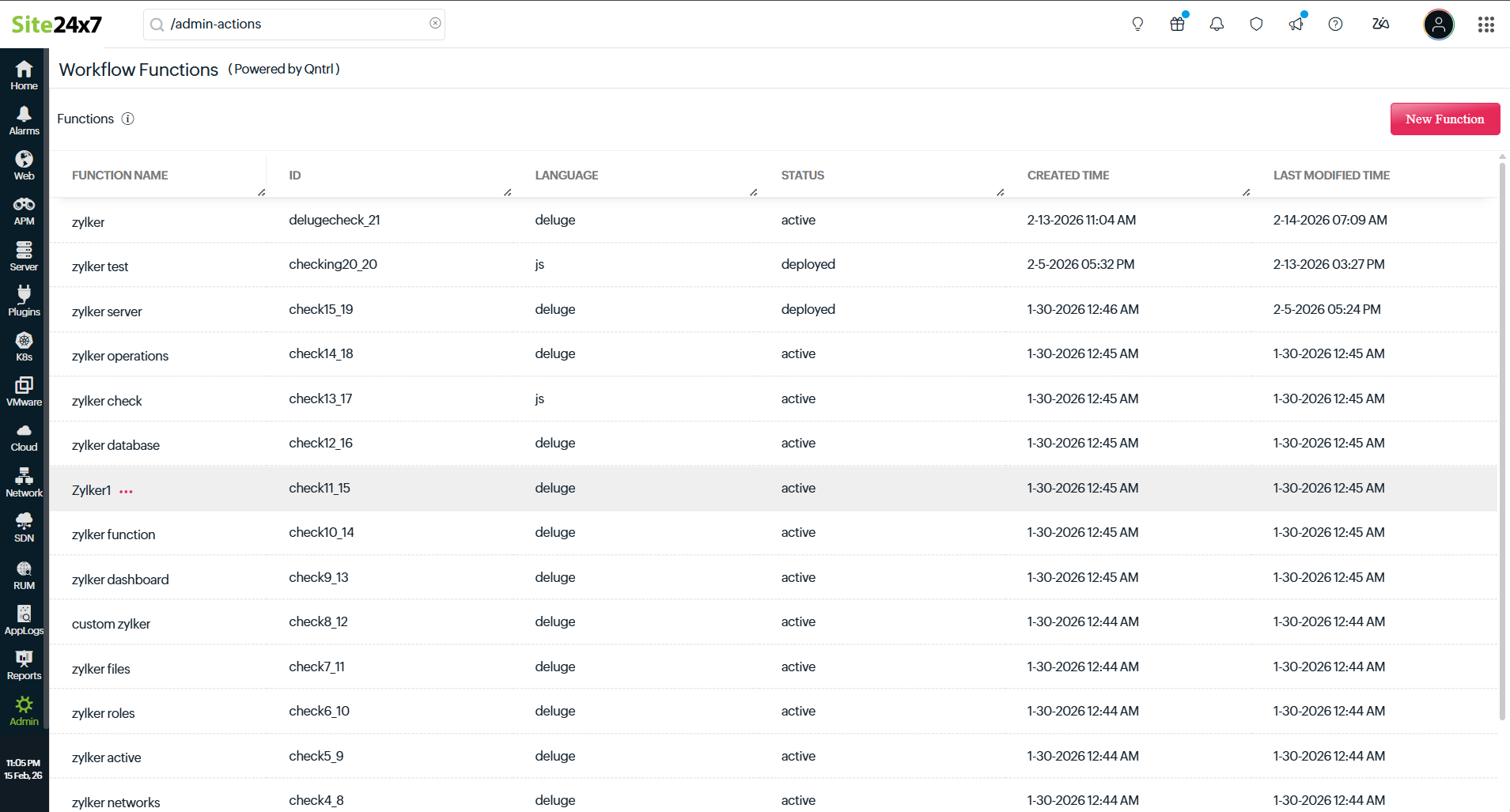
- Navigate to Admin > Automation > Workflow Functions > New Function.
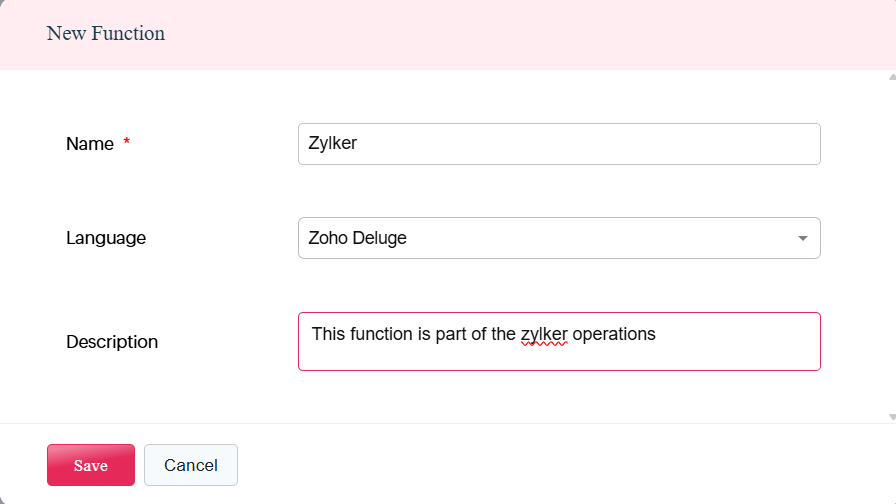
- In the pop-up that appears, select the desired scripting language from the Language drop-down menu.
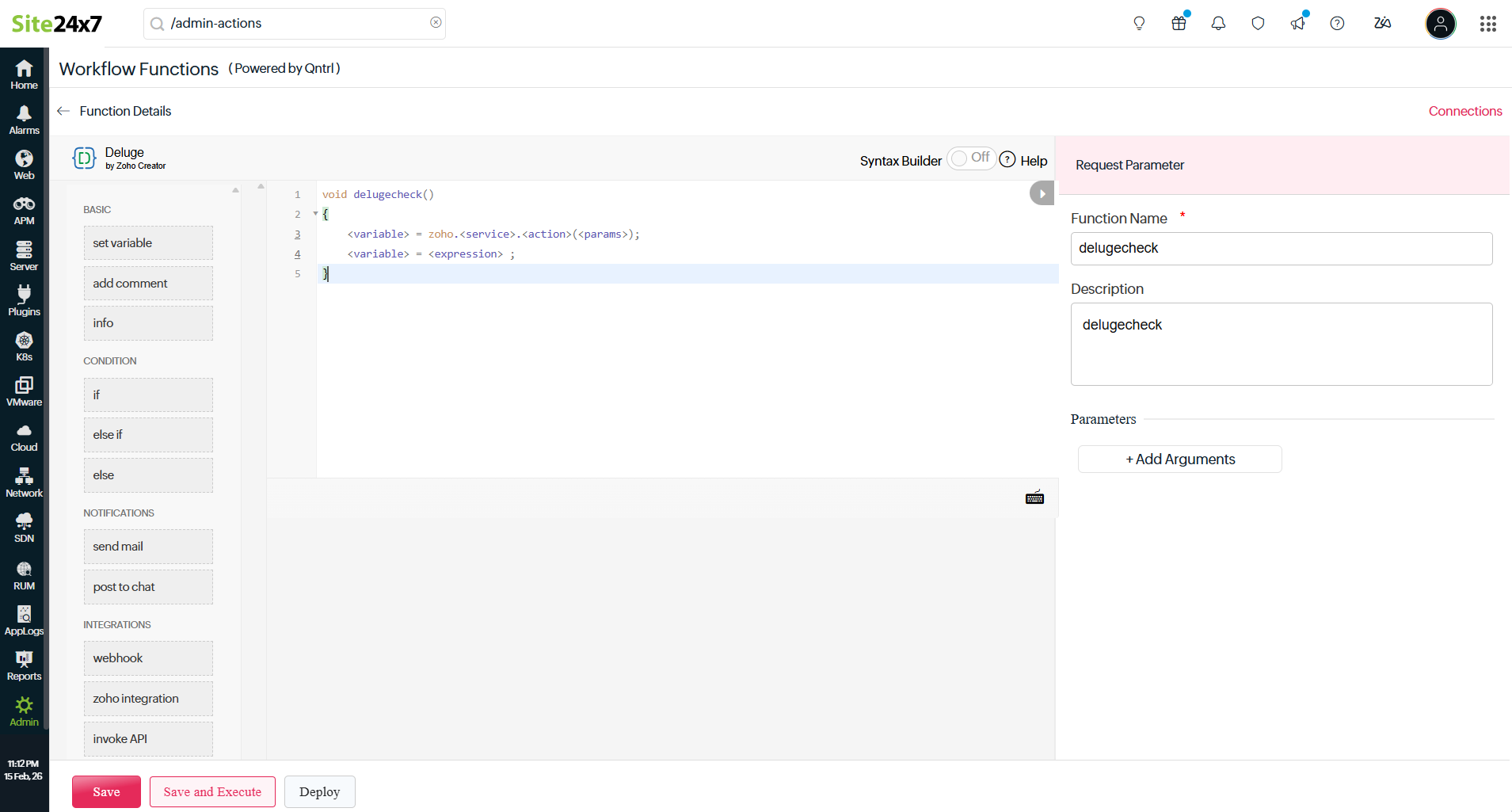
- Work on the editor interface that comprises the following sections:
- Once the required function is designed, click Save to save the script, Save and Execute to test and validate the script execution, or Deploy to publish the function and make it available for use within the Workflow.
Left panel
The left panel contains prebuilt logic and action elements that help you construct your function efficiently. These components are aligned with the selected scripting language and include:
- Basic logic building blocks: Used to define variables, add inline documentation, and structure foundational logic within the function.
- Conditional statements: Enable decision-making by executing different actions based on defined conditions.
- Notification functions: Allow you to send alerts or post messages to communicate workflow execution status.
- API integrations: Facilitate secure interaction with Zoho services or third-party systems through API calls.
- Collection operations: Help store, retrieve, update, and iterate over grouped or structured data within the function.
Build view
The build view is the central scripting interface where you define the function logic. Here, you can:
- Write logic in Deluge or JavaScript.
- Define validations and conditional checks.
- Process input parameters.
- Execute IT automations.
- Interact with Zoho or third-party services.
- Invoke APIs.
- Return output values to the Workflow.
This is where your business logic is implemented and structured before being associated with a Workflow.
Related article
-
On this page
- Use cases
- Creating functions
- Left panel
- Build view