Workflow Automations
Workflow Automation in Site24x7 empowers you to build automated response pipelines that act on monitoring signals without manual intervention. When an alert is triggered, a threshold is exceeded, or a status changes, a Workflow automatically checks the condition, performs the required action, verifies the result, and notifies the right people.
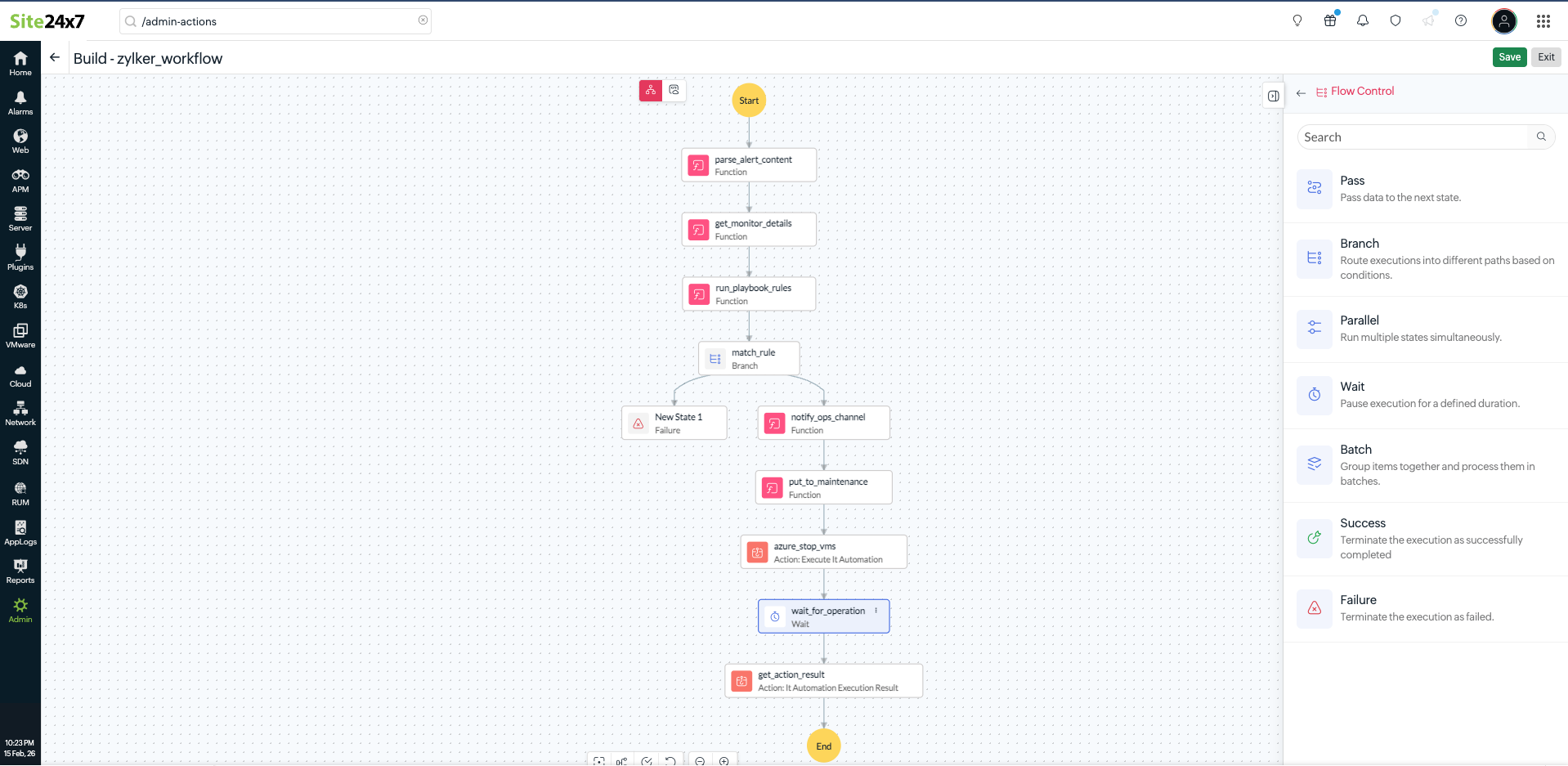
Workflows are built by connecting three core components:
- IT Automations: Over 100 predefined actions that are executed directly on your infrastructure, such as restarting a service, running a script, or scaling a cloud resource
- Workflow Functions: Low-code functions written in Deluge or JavaScript that process data, call APIs, interact with third-party services, and pass context between steps
- Condition blocks: Logic evaluators that assess the alert severity, resource tags, maintenance windows, and dependencies to route execution down the right path
How does a Workflow work?
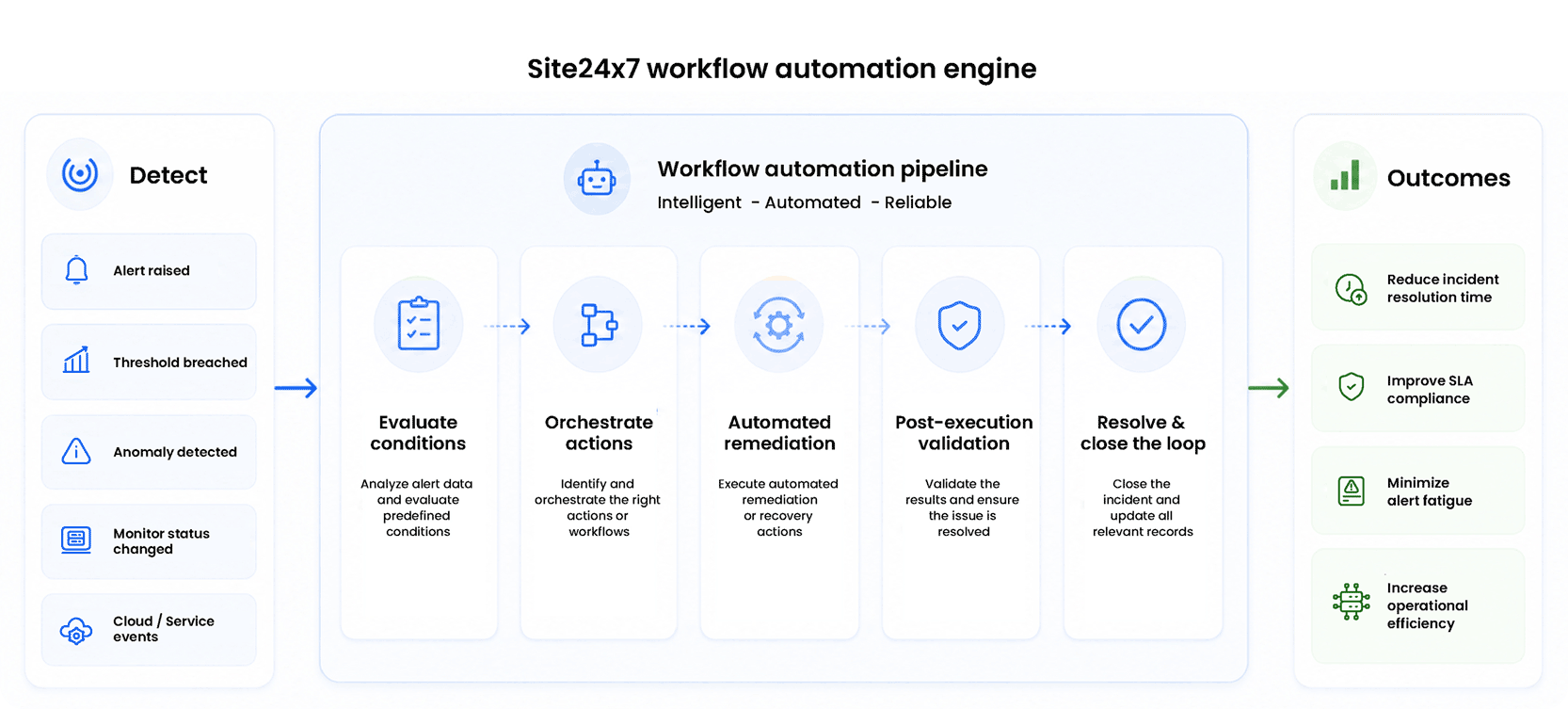
Once triggered, a Workflow moves through five stages: evaluating conditions, orchestrating actions, executing remediation, validating the outcome, and closing the loop with notifications and ITSM solution updates. Every run is logged and auditable, giving your team full visibility into what executed, when, and why.
Workflows can be triggered by any monitoring signal: an alert, a threshold breach, an anomaly, a monitor status change, a cloud event, or an external webhook.
How to get started with Workflows
Follow the steps below to create your first Workflow:
Set up your first Workflow
Create your first Workflow by configuring triggers, conditions, and actions to automate incident response and operational tasks. Refer to the Workflows documentation for step-by-step instructions.
Create Workflow Functions
Extend your Workflows with custom logic using Workflow Functions. Learn how to create reusable functions, process data between Workflow steps, and integrate with external services.
Explore IT Automations
Browse the available 100+ IT Automation actions, including server automations, cloud operations, and third-party integrations, to automate common operational and remediation tasks.