
On-Premise Poller Group for MSP
Managed Service Provider (MSP) Admin can efficiently oversee multiple clients by assigning them to specific On-Premise Poller Groups. This capability facilitates centralized monitoring and management, ensuring streamlined operations and enhanced service delivery across all customer accounts.
Use case
To enable monitoring, the MSP Admin first adds Customer A to the MSP account. Next, the admin creates a centralized MSP On-Premise Poller Group that includes both primary and standby On-Premise Pollers deployed within the admin's environment. The MSP Admin then edits the On-Premise Poller Group and assigns Customer A to it.
Once assigned, Customer A automatically sees the MSP-managed On-Premise Poller Group in their respective accounts. The customer can now configure application, server, and network monitors using the shared On-Premise Poller Groups, without needing to install or manage On-Premise Poller Groups themselves. Any changes to On-Premise Pollers availability, failover, or group configuration are handled exclusively by the MSP Admin.
Adding MSP customers in On-Premise Poller Group
The process of adding an MSP On-Premise Poller OPP Group follows the same steps as creating a standard On-Premise Poller Group.
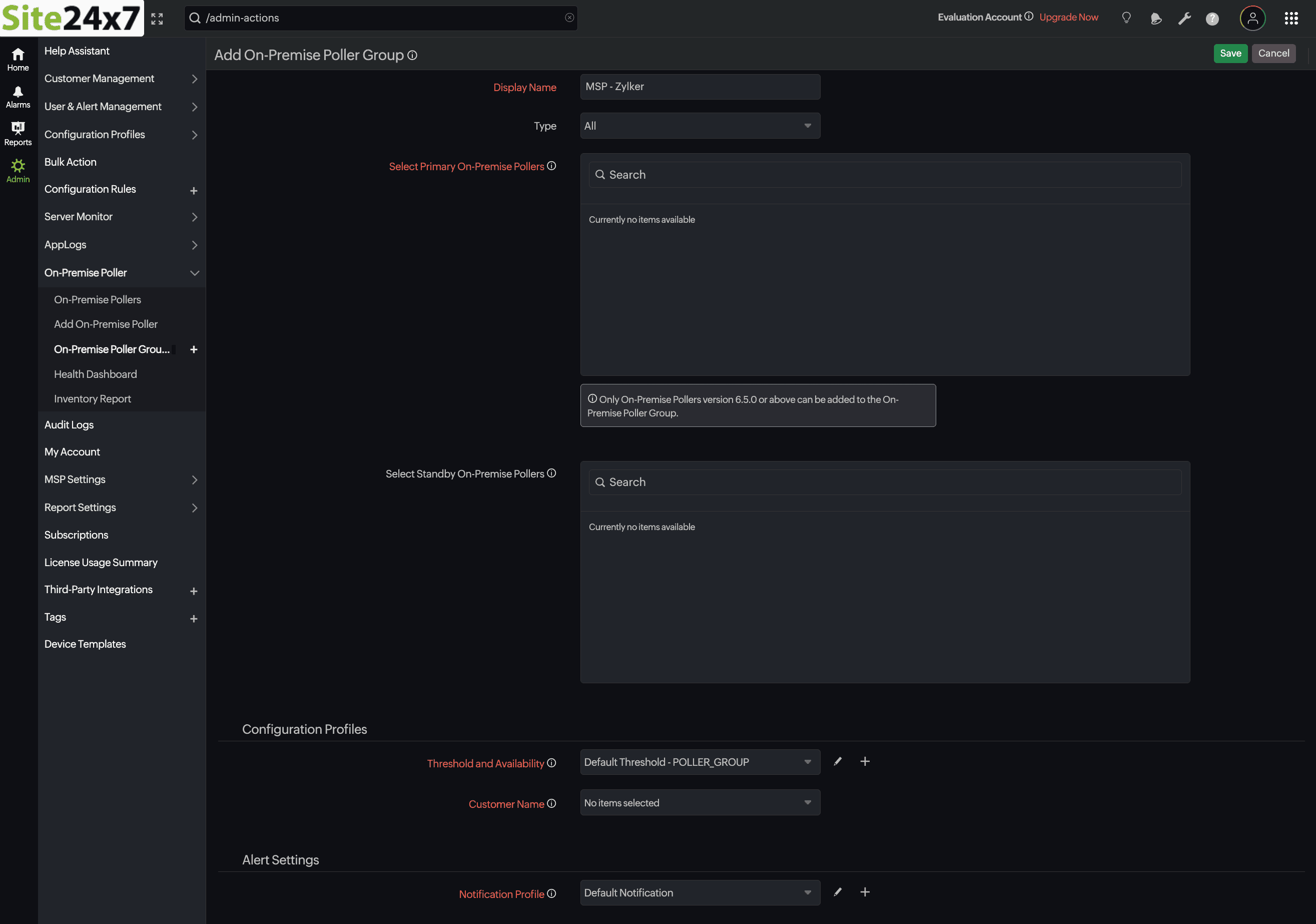
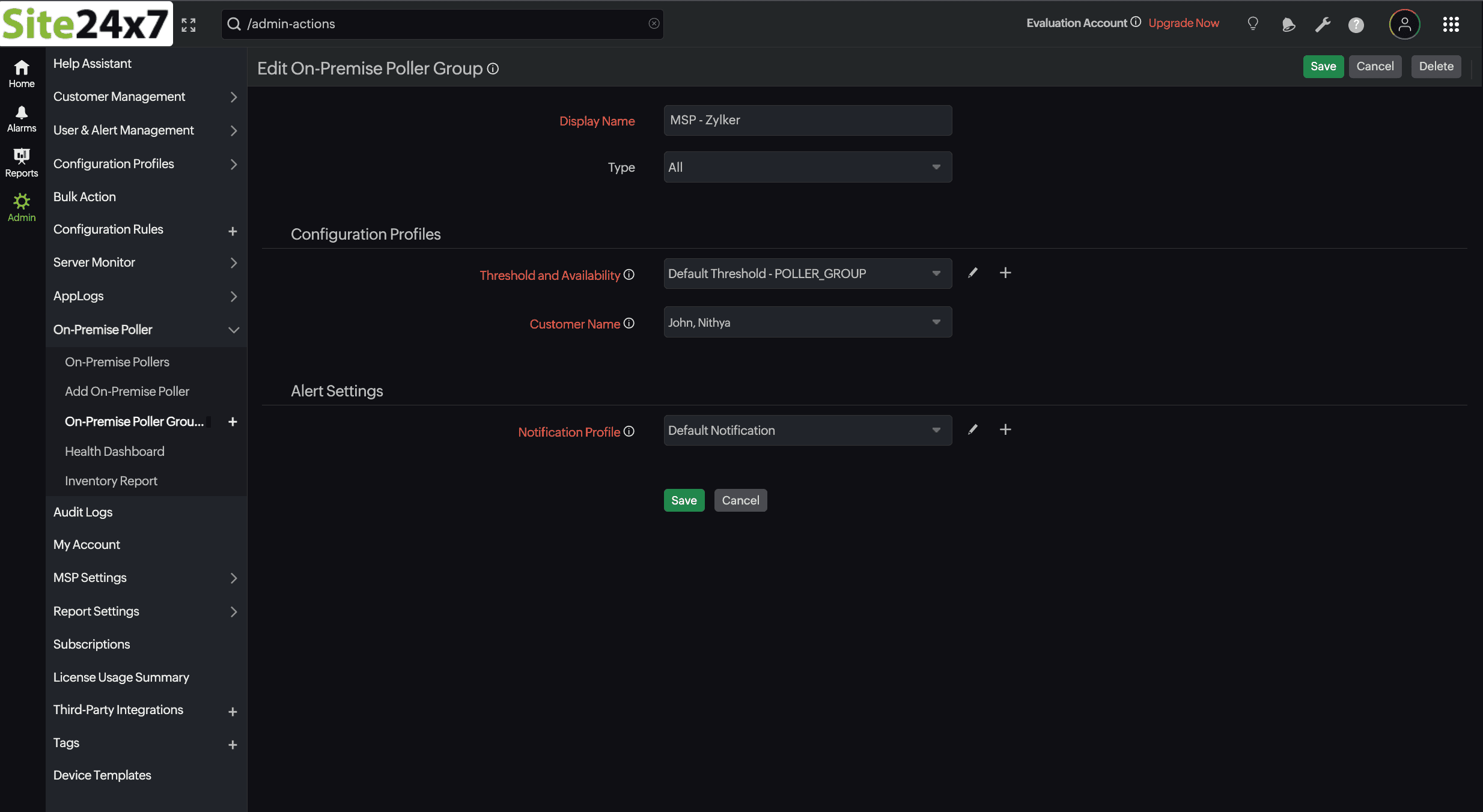
You can add a customer name when creating an On-Premise Poller Group by selecting it from the Customer Name field, or you can do so by editing an existing On-Premise Poller Group. Follow the steps below:
-
From the list of On-Premise Poller Groups, click the hamburger
 icon next to the desired On-Premise Poller Group and click Edit.
 -
Select the created customer name from the Customer Name field. Once selected, the On-Premise Poller Group will be automatically assigned to the chosen customers.
-
Click Save.
Verify the added MSP customer
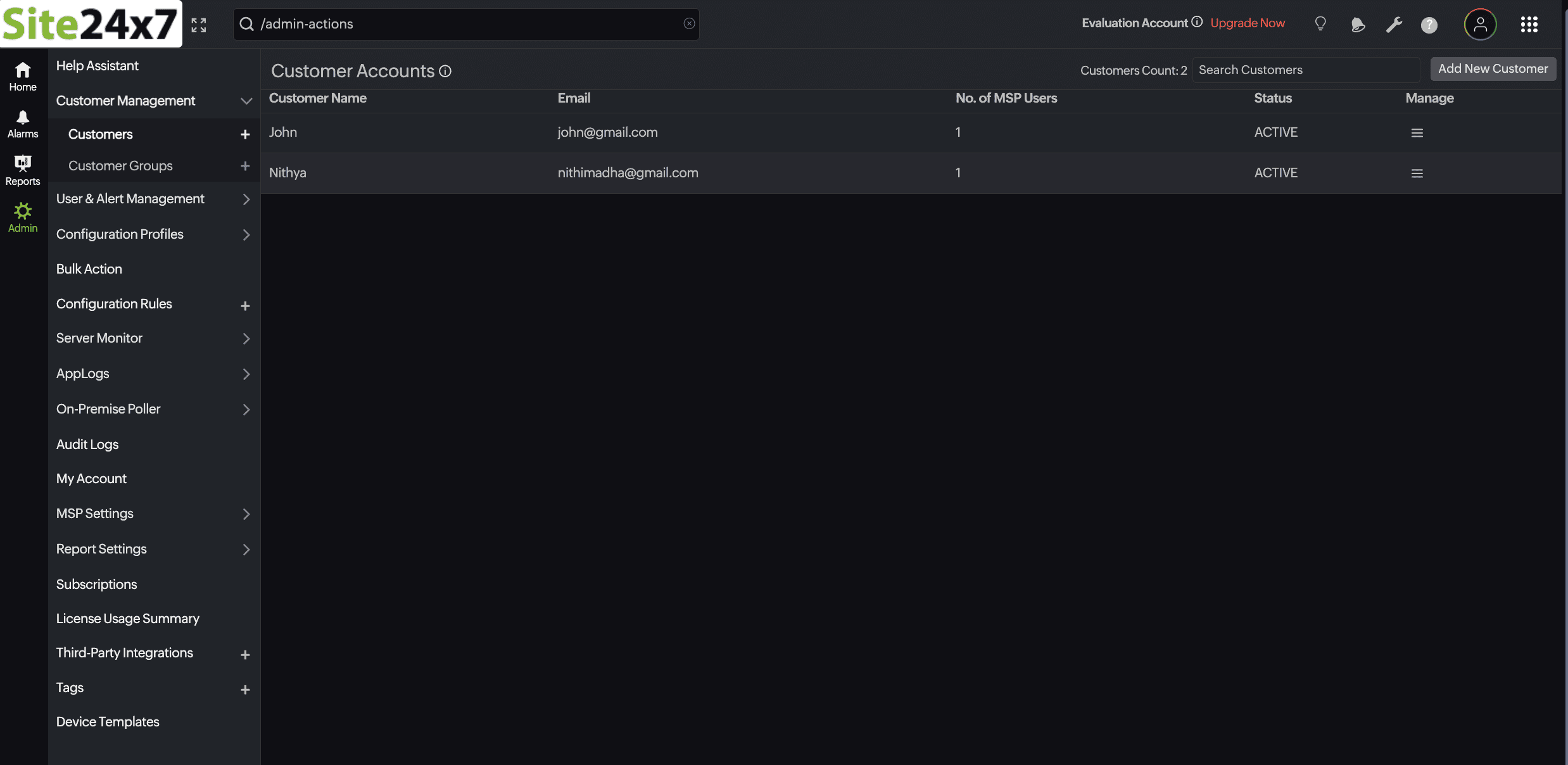
To verify the assigned customer from the MSP Admin account, navigate to Admin > Customers, where all the added customers along with their registered email addresses are listed.
Also, from the added customer account, the assigned On-Premise Poller Group is visible under Admin > On-Premise Poller > On-Premise Poller Group.
- The On-Premise Poller Group displayed in the customer account is non-editable, as it is centrally managed by the MSP Admin.
- A system-generated description is displayed under the OPP Group name indicating This Poller Group is managed by the MSP Admin.