by Jenifer P
Greetings!
Your compliance team needs logs for audits, while your security team needs them in a security information and event management (SIEM) solution to investigate threats. Exporting logs manually or maintaining custom pipelines takes time, and missed exports can leave gaps in your audit trail.
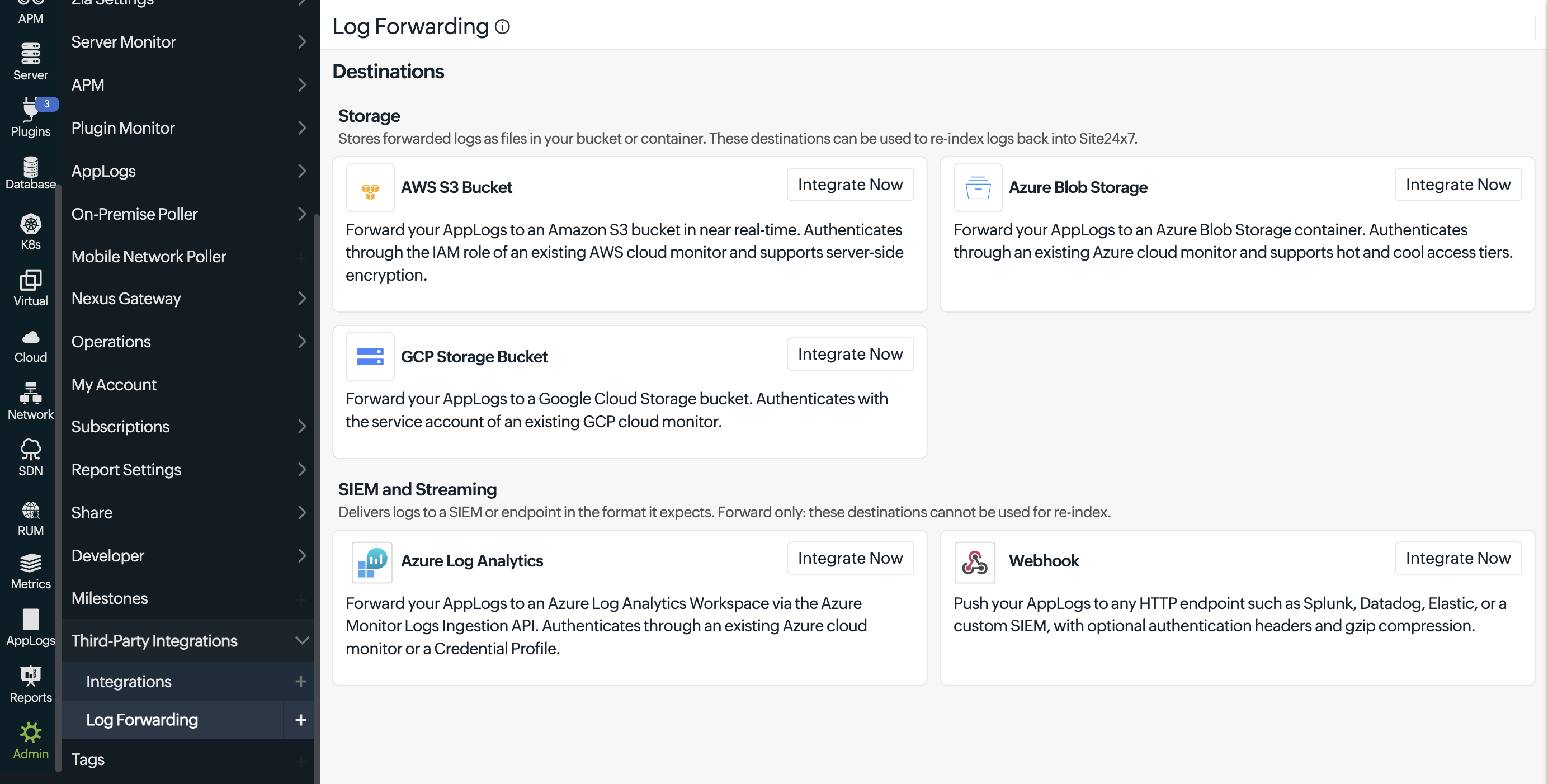
To meet this need, Site24x7 introduces log forwarding to any destination. Send a copy of your logs to Amazon S3, Azure Blob Storage, Google Cloud Storage, or Azure Log Analytics, or use a webhook to forward log data to a SIEM solution or another HTTPS endpoint, while continuing to collect and search your logs in AppLogs.
Key benefits of log forwarding
Log forwarding offers the following benefits for log retention, security analysis, and delivery management:
- Audit retention: Keep log copies in your own cloud storage for compliance and analysis, independent of AppLogs retention.
- Focused security analysis: Filter by log type and query to send only relevant records to your SIEM solution.
- Reliable delivery: Automatic retries help deliver logs when forwarding fails. Unique record IDs and webhook keys help you remove duplicates.
- Delivery control: Adjust forwarding frequency and batch size to balance how quickly logs arrive against storage and request costs.
Getting started
Start forwarding your AppLogs to the destination you need. For setup instructions, see the log forwarding help documentation.
Do you have any thoughts or questions? Feel free to share them in the comments below!
Regards,
The Site24x7 team
Like (0)
Reply
Replies (0)