Help Server Metrics Linux Server Monitor
Linux Server Monitor enables you to monitor and measure critical metrics like CPU, memory, disk utilization, processes and network traffic of Linux servers from a unified dashboard. To view all the performance related reports of your Linux Server, navigate to Homepage and click on the configured Linux Server. Various reports can be viewed by navigating across the following tabs:
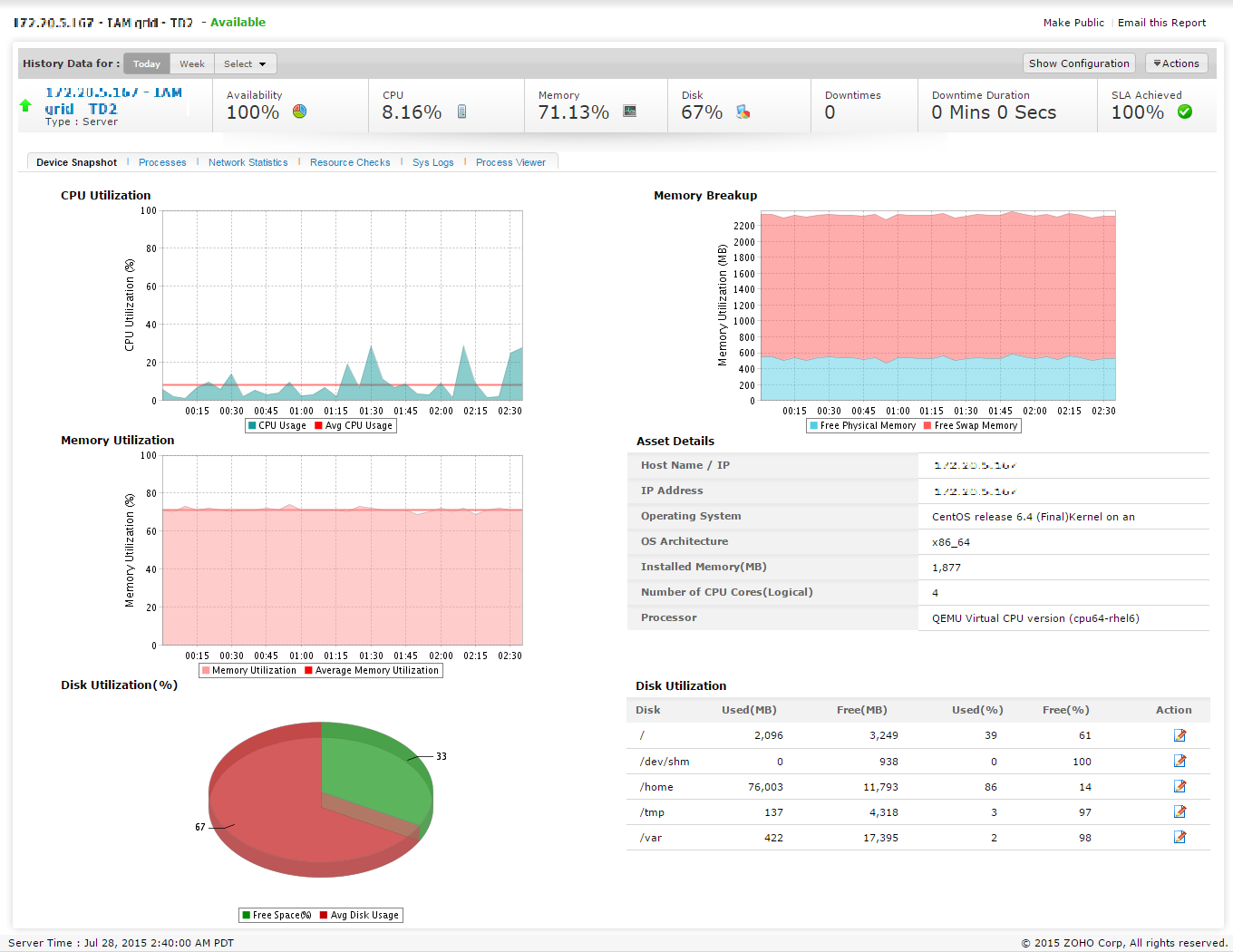
Detailed Interpretation of individual Metric
Click on any displayed metric in the details page to view an exhaustive list of related reports. You may also generate the reports for a specific time period, by choosing the appropriate value from the drop-down. You can export the report as CSV/PDF or send via Email.
CPU Utilization
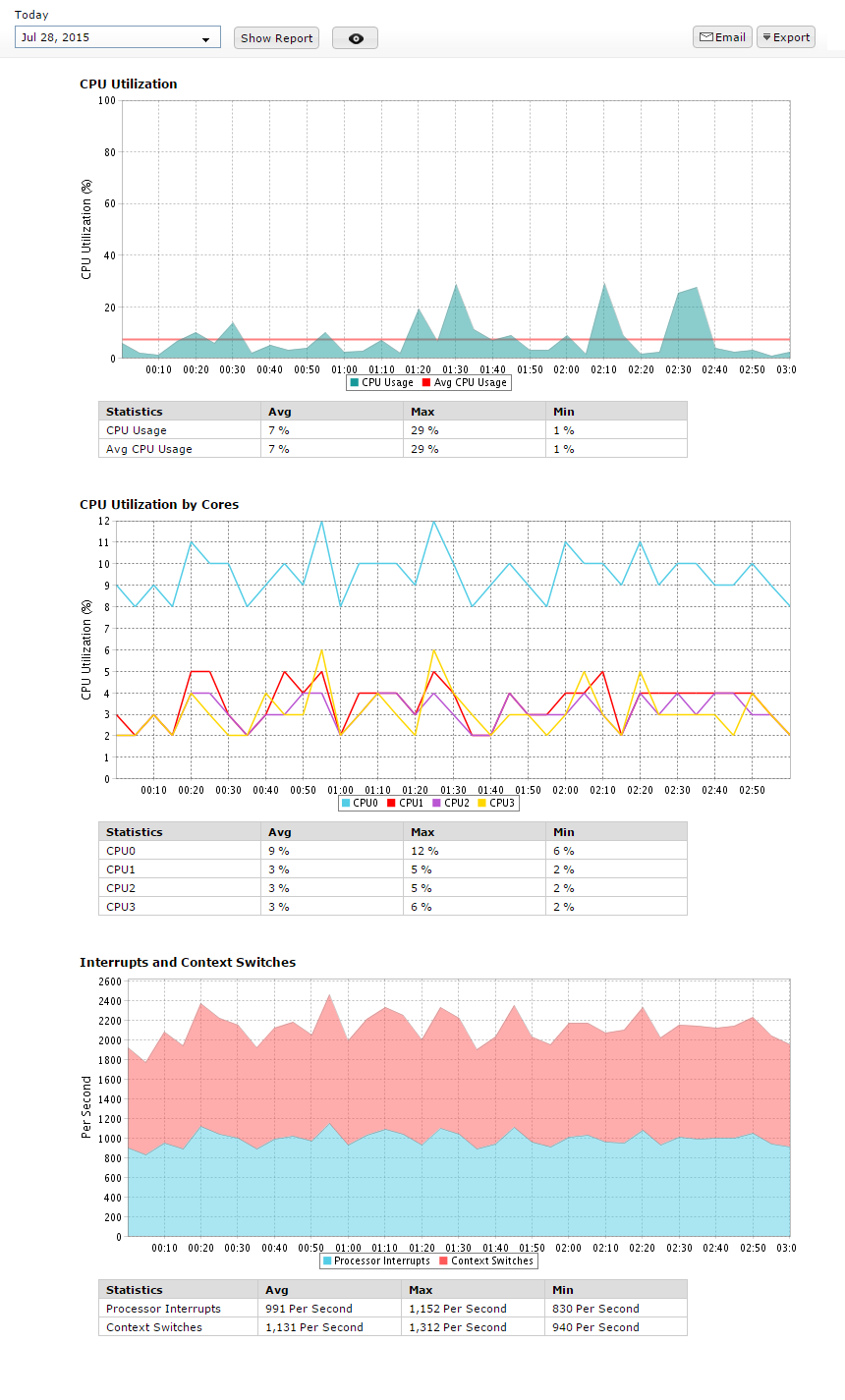
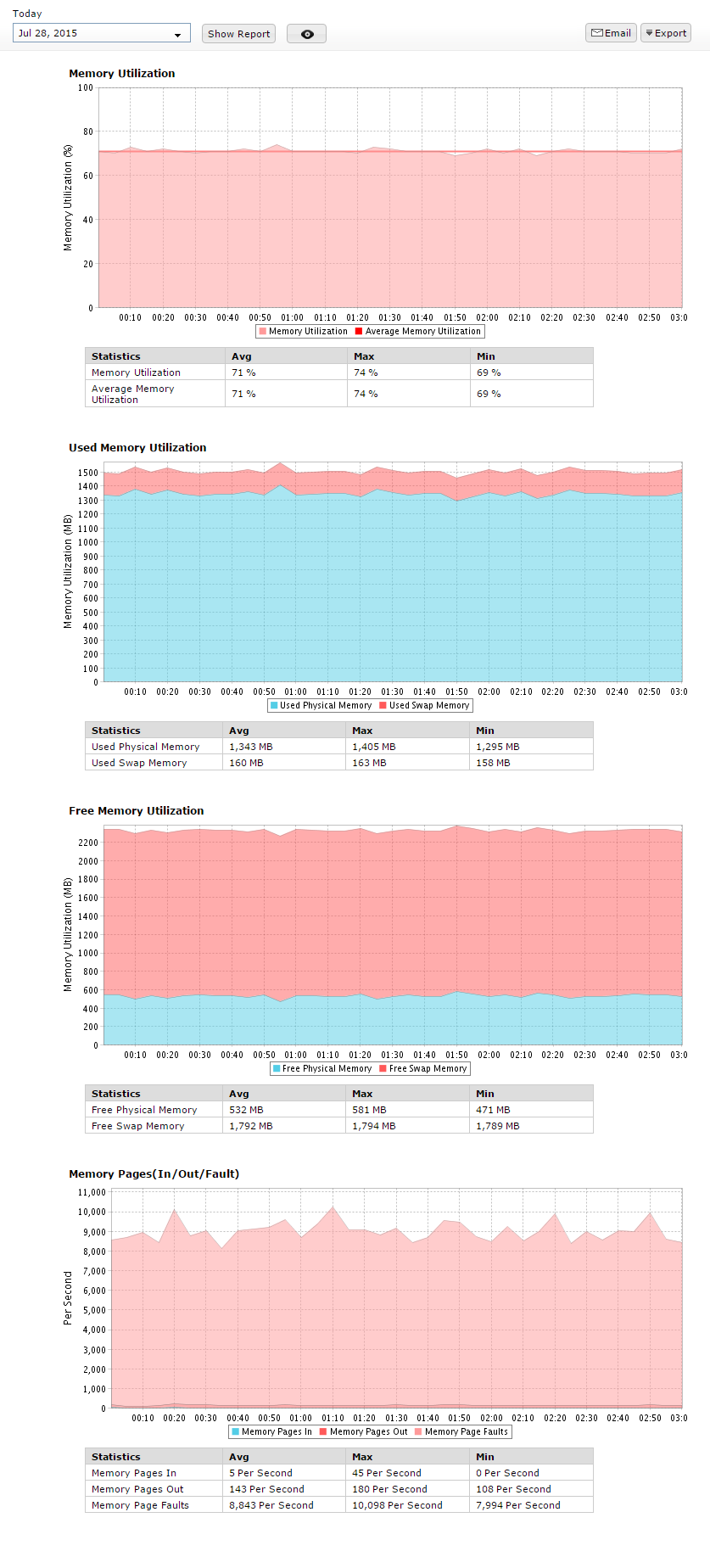
Memory Utilization
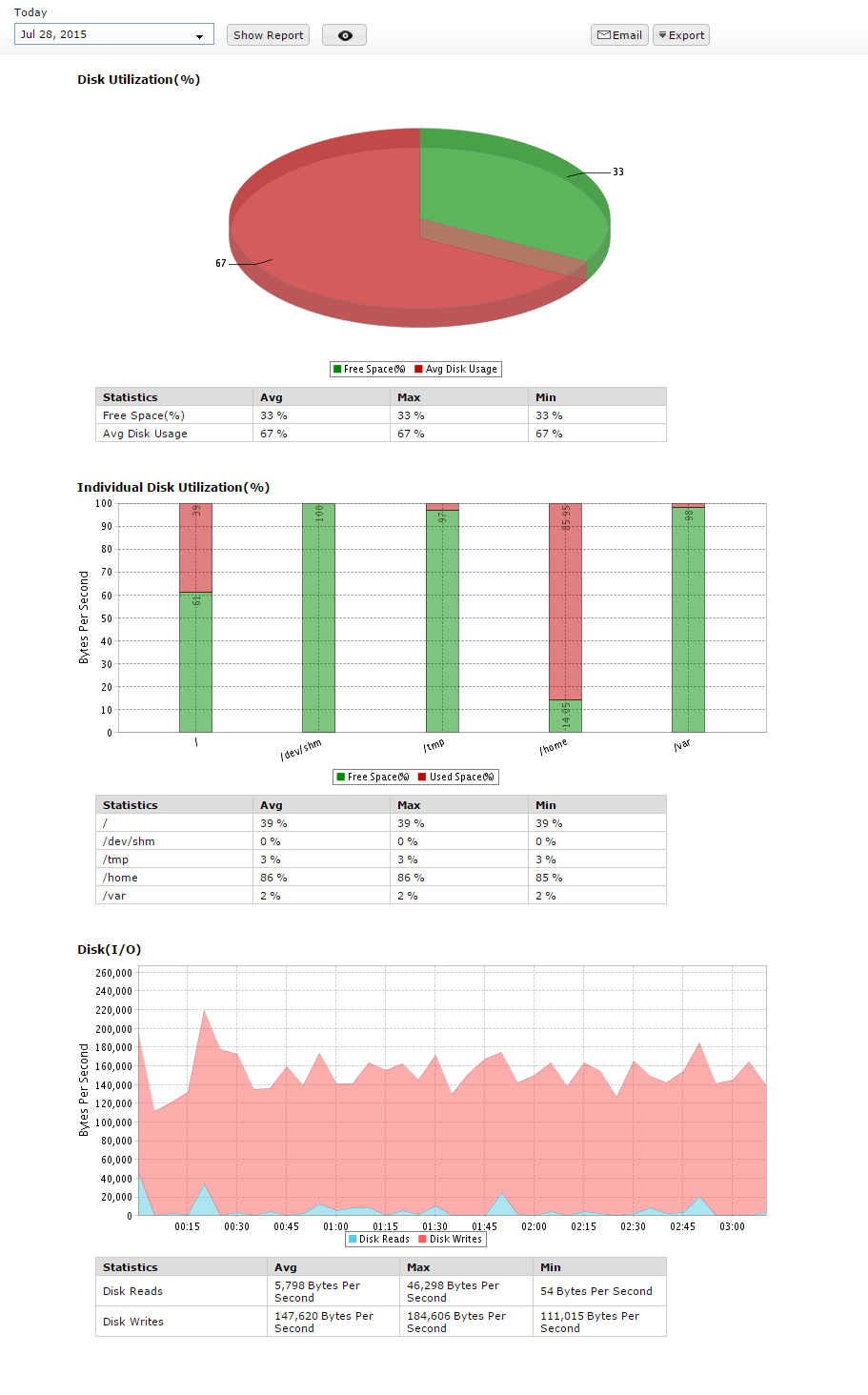
Disk Utilization
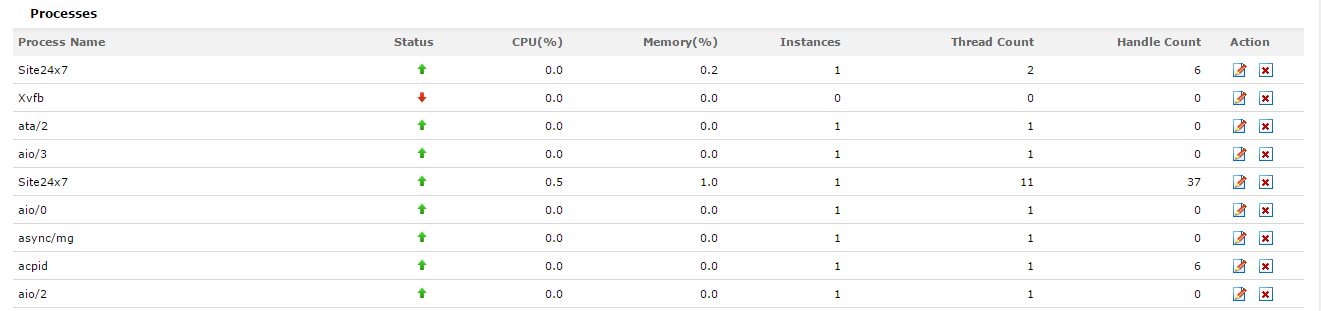
Processes
The availability status of Linux services and processes can be monitored using server monitoring feature.
Network Statistics
Network statistics provides a detailed view about the input and output traffic along with the bandwidth utilization for both input and output utilization. You can also get to know the speed of your Network Interface Cards.
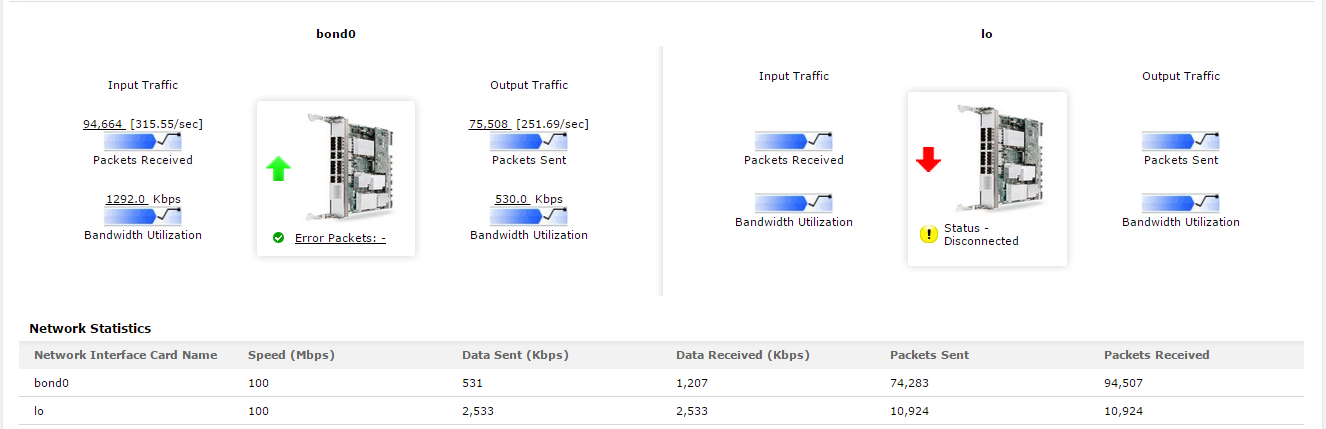
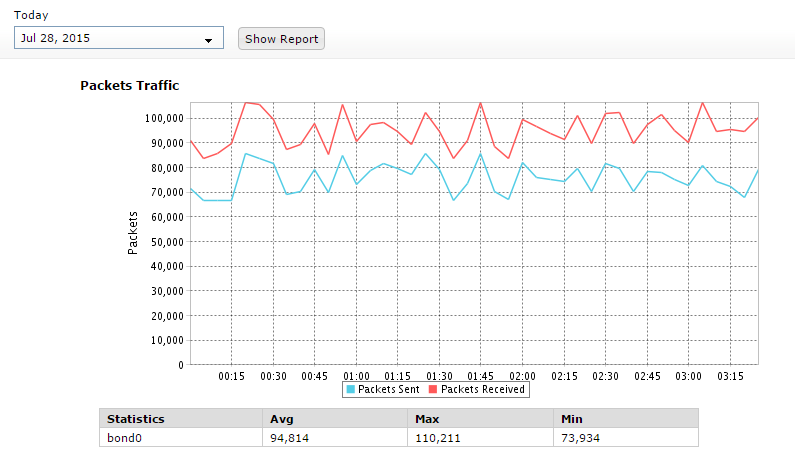
Click on the individual input or output traffic icon to generate a Packets Traffic and Bandwidth Utilization report. This will provide details about packets sent and received and also the bandwidth utilized by the network equipment. 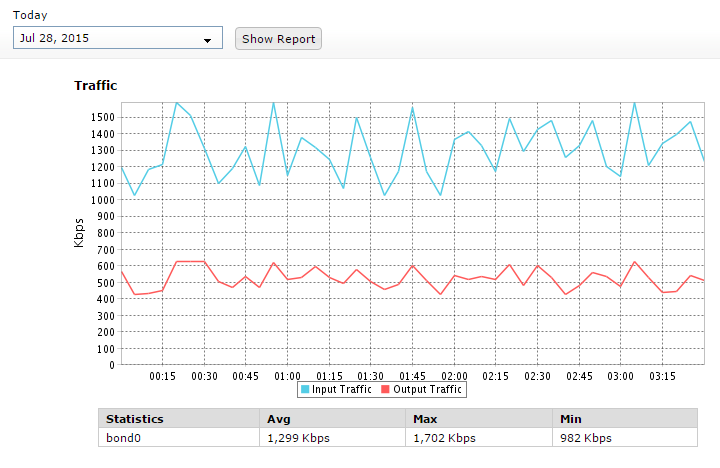
The following additional metrics can be inferred from the Linux server monitor page:
Resource Checks
Configure specific ports or URLs and regularly monitor their availability.

Sys Logs
Linux Sys Logs provide ample amount of data laid out in a graphical format detailing downtime, performance drops and security infringements. Detailed metrics on logging program messages and process severity can be extrapolated from the Sys Log graph.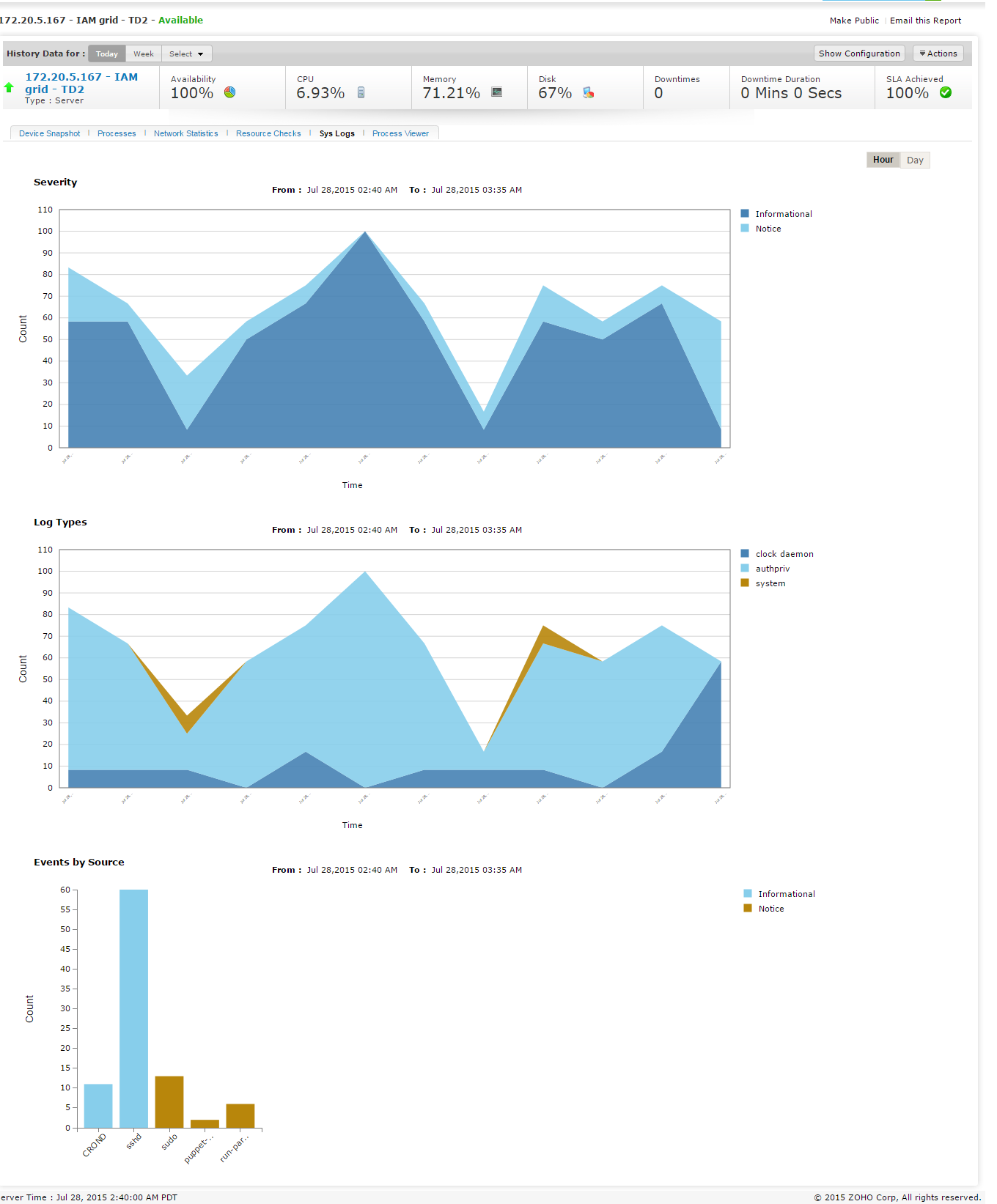
Process Viewer
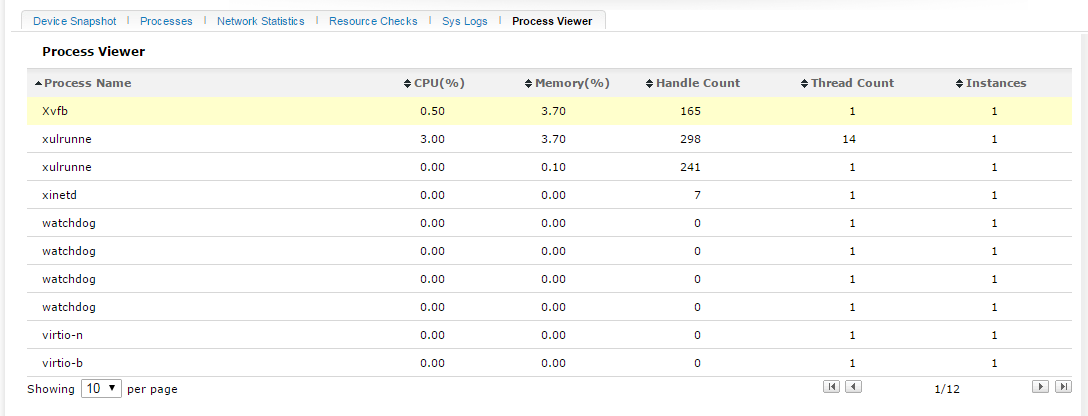
Various processes can be monitored using the server monitoring feature. Click Processes viewer tab in the server monitor details page to view the details.
Add a custom view
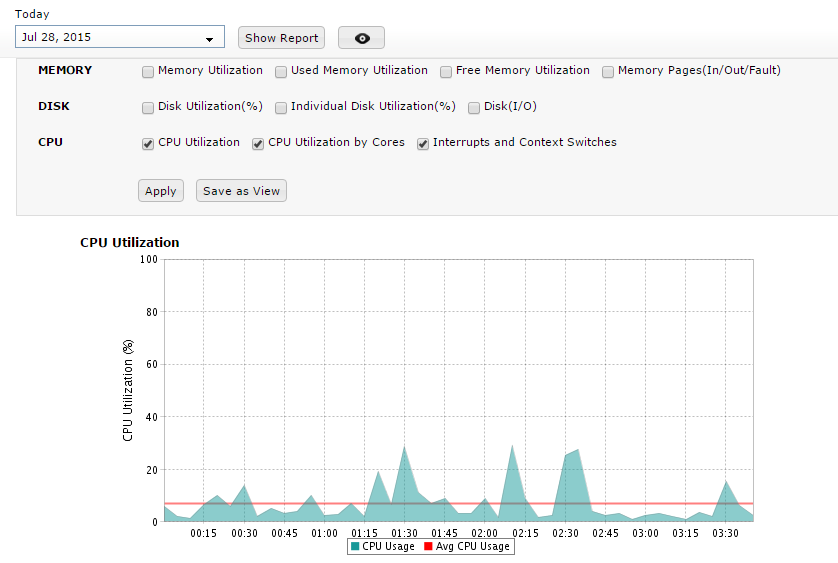
User can choose and add available Metrics as a Custom View. This view will be available as a tab for all Server Monitors across the user account.


Site24x7 is a service by Corp.
