Help Internet Service Metrics Web Application (Real Browser)
Web Application Monitoring using Real Browsers allows to monitor the availability and performance of your web transactions using an actual web browser. The feature uses a robust recorder tool to record web transactions and playback the same via real browsers like Firefox to check how your end-user would experience it. Web Application (Real Browser) Monitor displays the availability and performance metrics in an easy to understand layout. The metrics section are neatly organized into graphs and charts for easy assimilation.
Navigate to home and click the appropriate web application (real browser) monitor listed in the monitor summary. This page would cause the following metrics displayed in the form of graphs and tables:
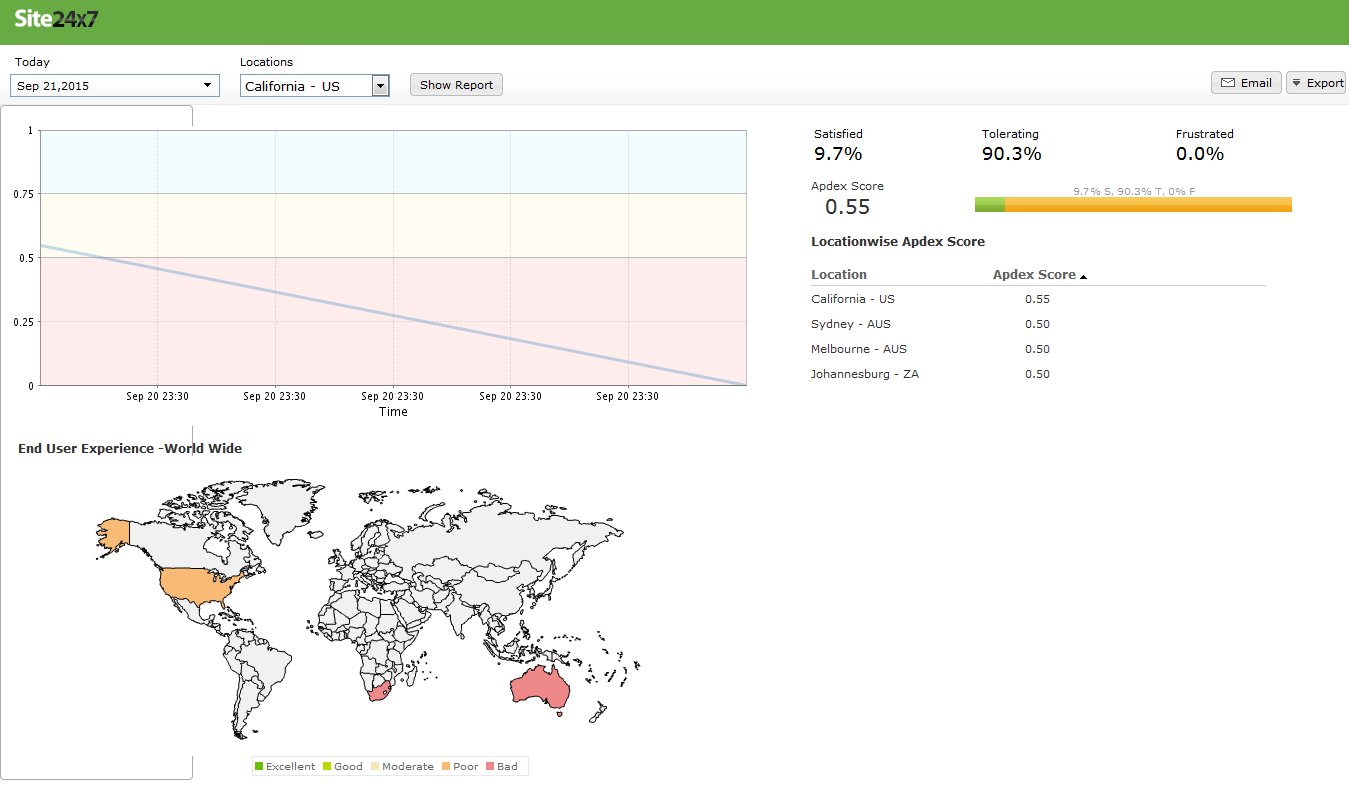
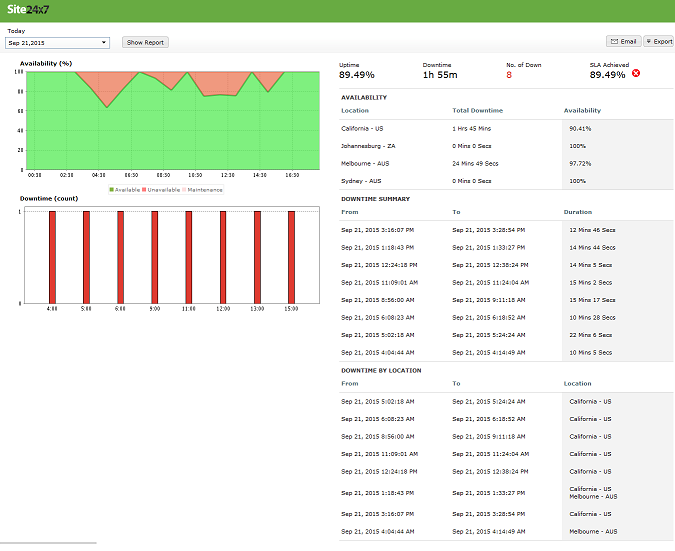
This section exposes the historical information about your website performance along with the availability, Page Load time, transaction time and downtime duration. It also provides the Apdex score, which assesses the end user experience of your web application. The time period can be chosen from the History Data for the section.

Apdex Map
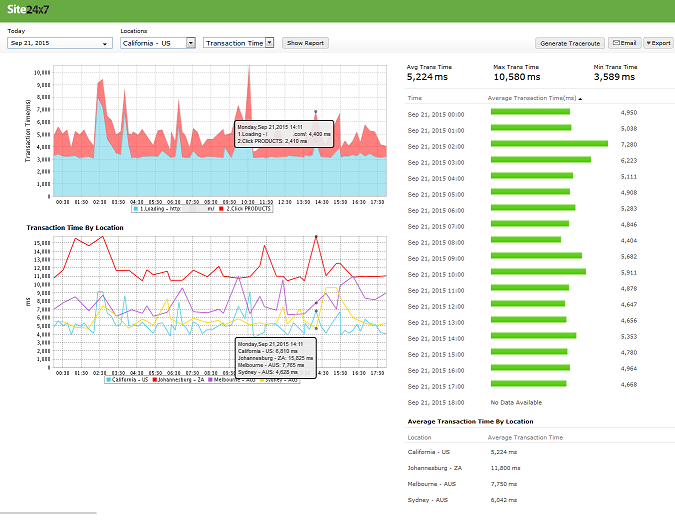
The Transaction Time graph gives you the time required to complete a transaction for your recorded steps. The graph is calculated by plotting time period against transaction time.
Transaction Time by Location graph shows the average transaction time for each day or hour from every monitoring location. This graph can be used to analyze the average transaction time of your monitor from different monitoring locations. The location is identified using legend given below the graph.
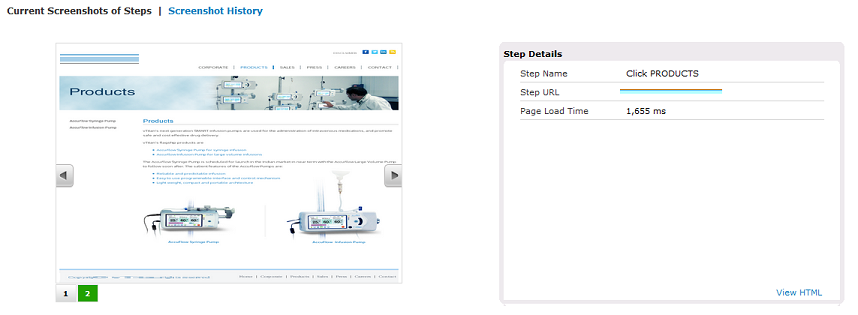
Current Screenshots of Steps - Shows the most recent screenshots of all the steps captured during the transaction.
You can browse through the different steps by clicking the counters below. On the immediate right, against the screenshots screen shows you the corresponding Step Name, URL and the Response Time for that particular URL. Clicking on Screenshot History will take you to more details information.
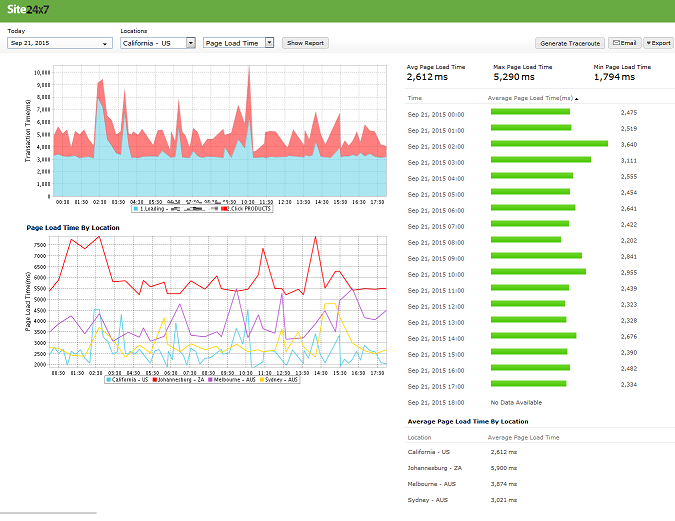
It defines the time taken for the configured page to load during monitoring. Location wise data is captured and represented in a tabular and graphical format.

The availability and response time of the web application monitor for each and every monitoring location is expressed in a tabular format. The total availability (%) and Response Time (ms) with down duration from each monitoring location can be deducted from this data.



Site24x7 is a service by Corp.
