Help APM Real User Monitoring RUM Monitor Details
Details of every aspect of your web applications can be assessed using various tabs in the page.
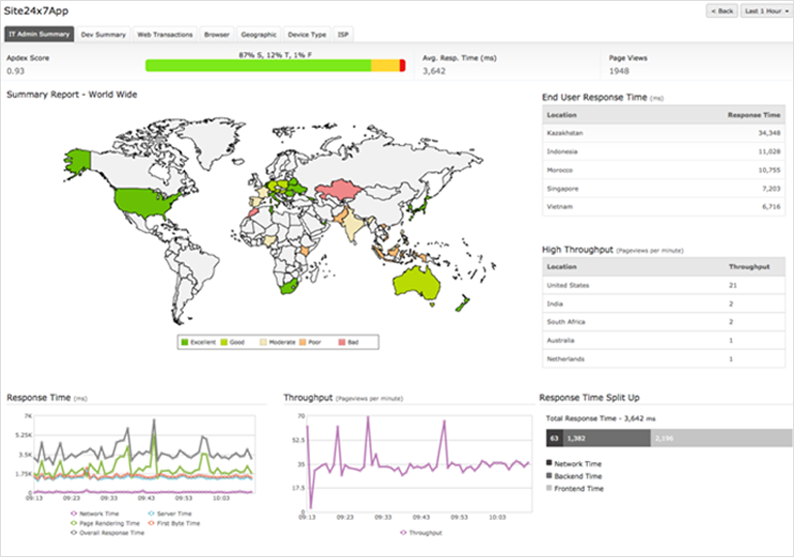
Clicking on IT Admin Summary tab gives you a graphical representation of application response time and throughput globally.
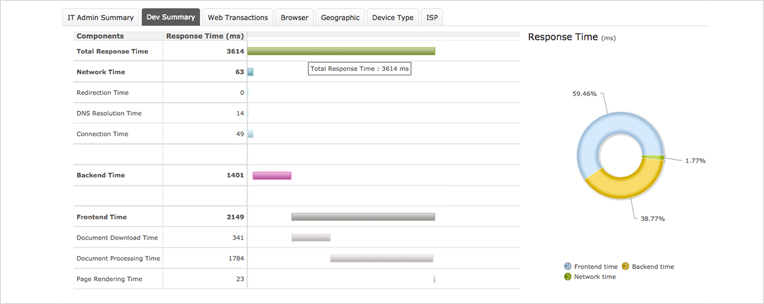
Clicking on the Dev Summary tab displays the response time under various components like network time,back end time and front end time.
Metrics |
Description |
| Redirection Time | Time taken for the HTTP redirects or equivalent while navigating. |
| DNS Time | Time taken for domain name lookup for the current document. |
| Connection Time | Time taken for establishing connection with the server so that current document can be retrieved. |
| Document Ready Time | Time taken for receiving the response from the server and to build the DOM object. |
| Page Rendering Time | Time taken to completely render the page. |
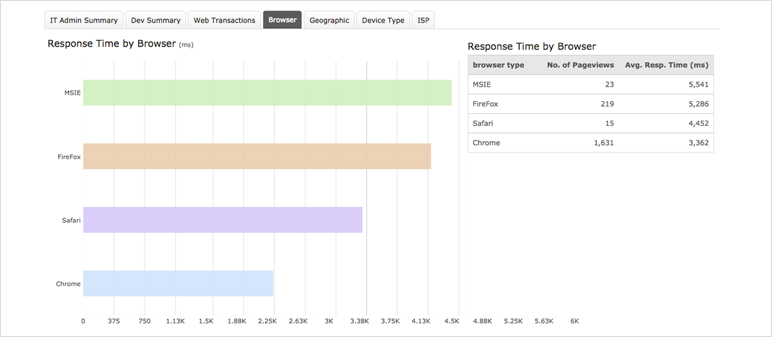
Clicking on the Browser tab displays the avg. response time split by browsers. Details include browser type, no. of requests and avg. response time.
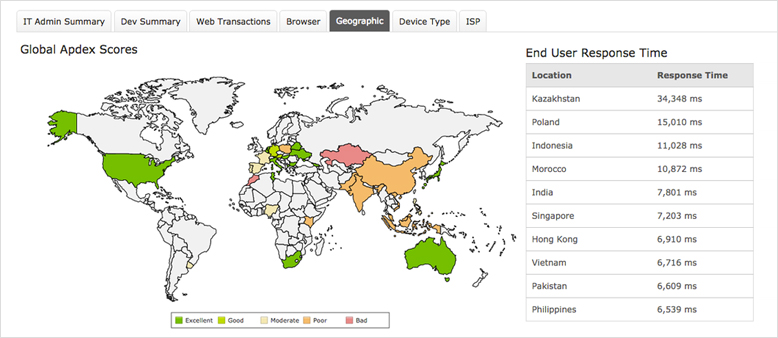
Clicking on the Geography tab gives a graphical representation of application response times globally and if it is excellent, good, moderate, poor or bad.
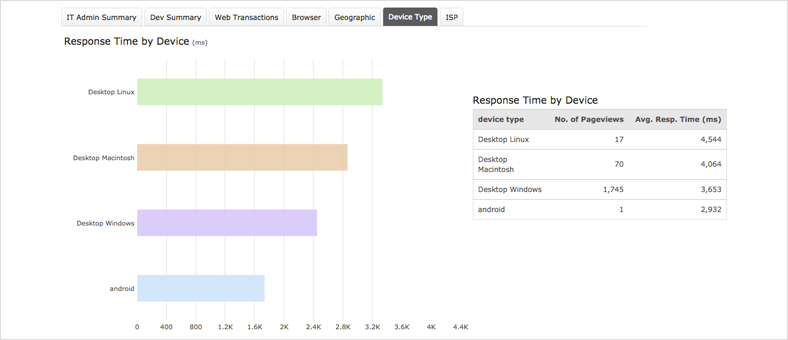
Clicking on the Device Type tab displays the avg. response time by devices. Here you can see response time metrics from various platforms like desktop, tablet, mobile and operating system.
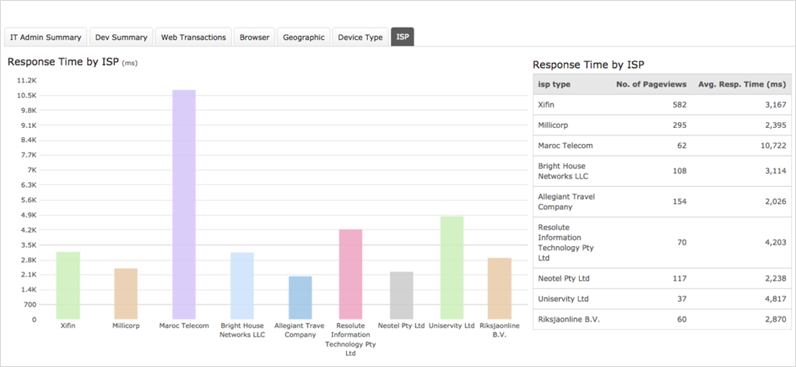
Clicking on the ISP tab displays the avg. response time by Internet Service Providers. Details include response time by ISP type, no. of requests and avg. response time.
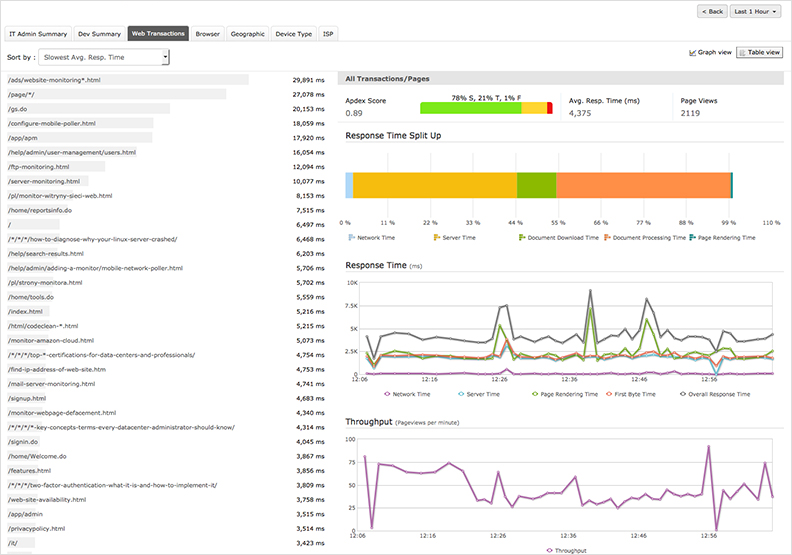
Clicking on Transactions tab displays the response time by each web transaction with graphical representation of both response time and throughput.


Site24x7 is a service by Corp.
