Add RUM Monitor
Steps to add a RUM Monitor
- Login into Site24x7
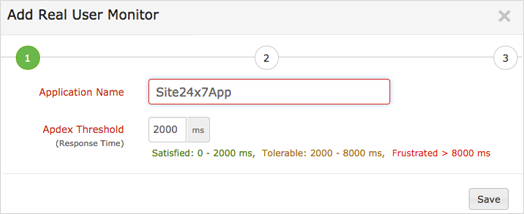
- Select APM > Web RUM > Add Application.
- Enter the Application Name and Apdex Threshold.
- Click Save.
- A script code will be generated in Add Real User Monitor screen. Copy and paste the script code to the pages of your application or website which you would like to monitor.
- Click Continue followed by Finish.
The RUM monitor you added will appear on the main RUM dashboard. Now you can access the performance data from Site24x7 RUM console.



