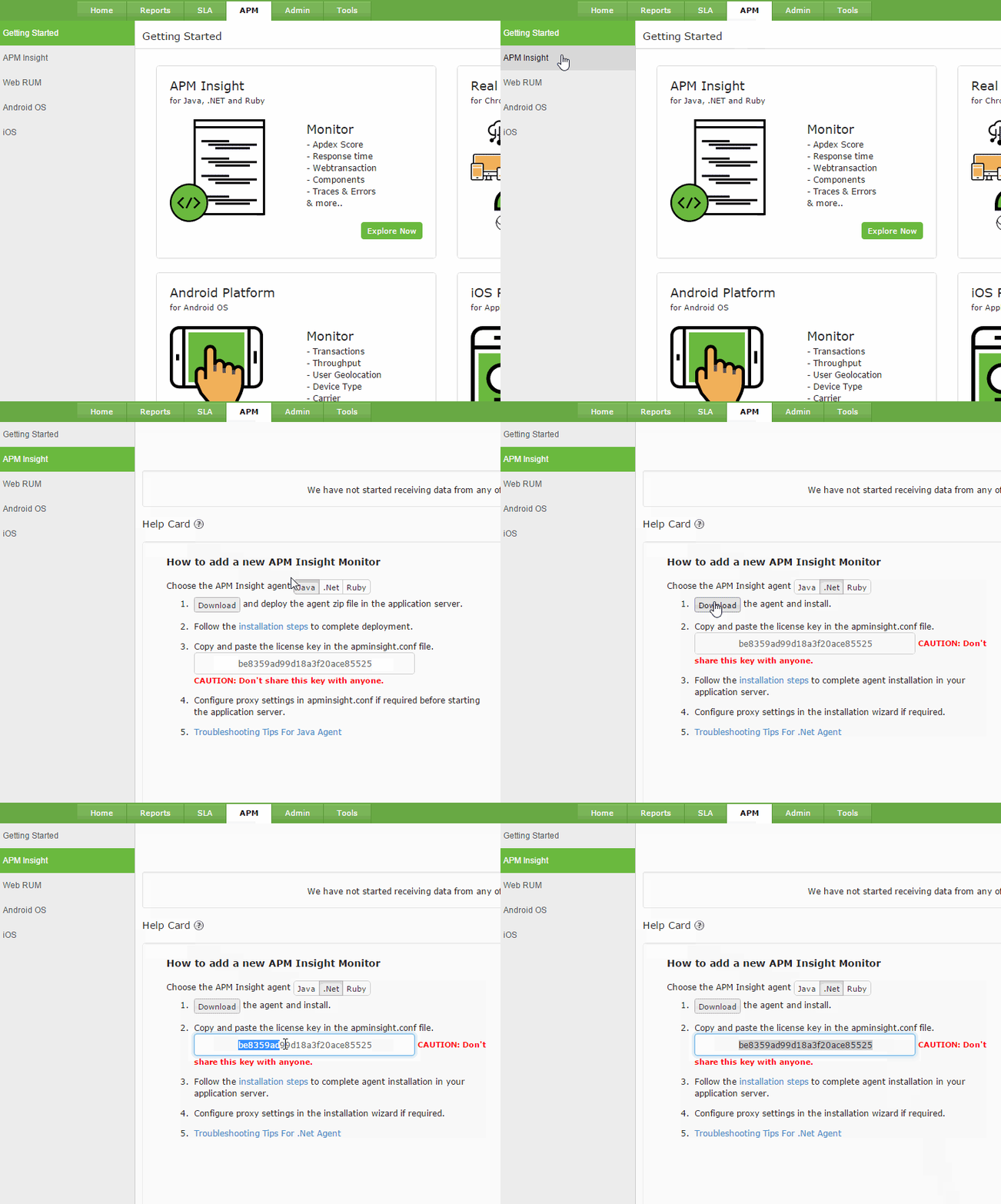
Click on .NET tab and follow the instructions to download the agent.
Click download to get agent .msi file.
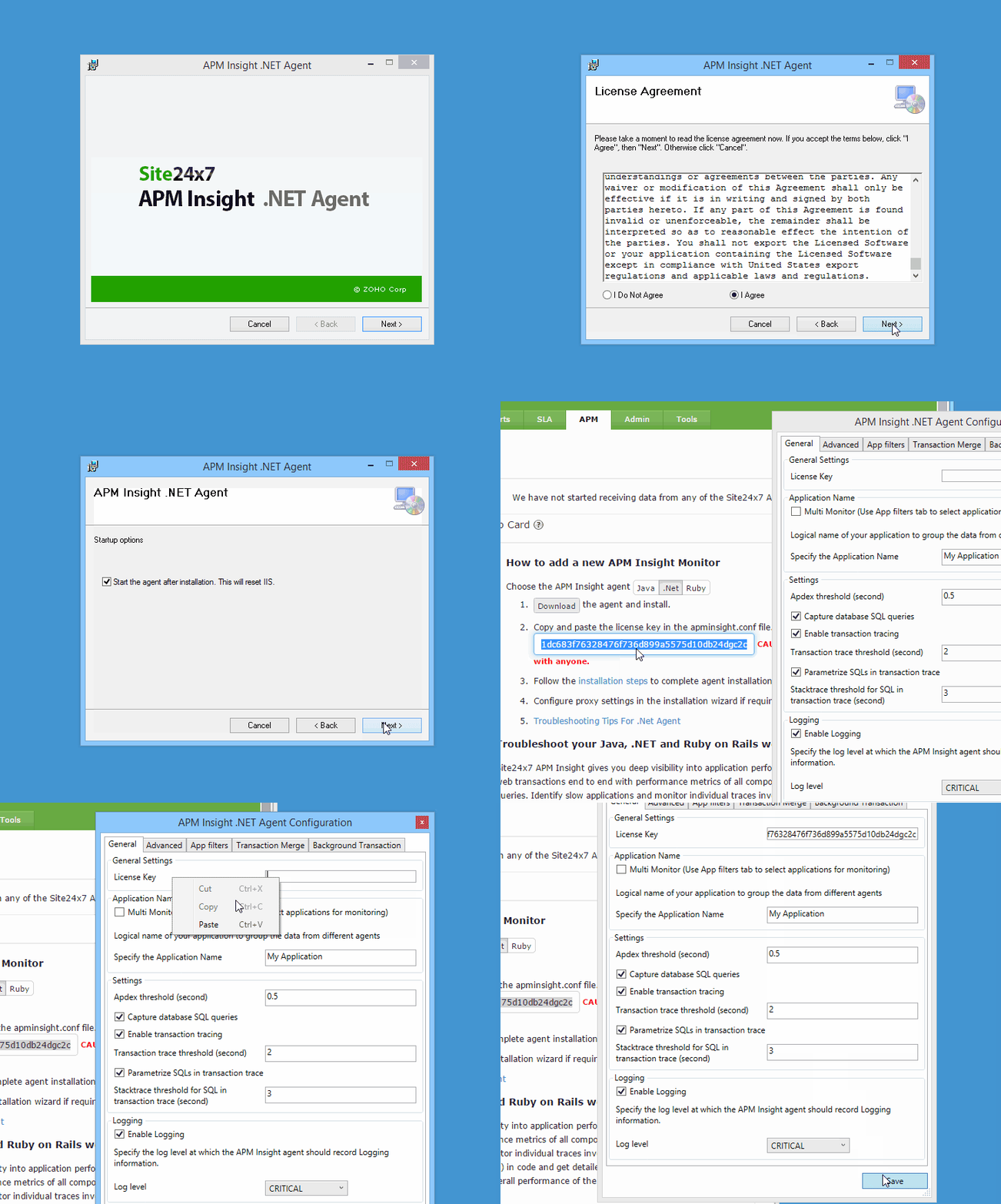
Run the .msi file. This opens a select installation folder window.
Click on Browse and select the folder path to install the .NET Agent. Click Next.
In the next window, under the Startup Options, check the Start the Agent after installation check-box if you wish to start the agent. Click Next to start installation of the agent.
A .NET Agent Configuration window appears before the installation is completed.
Copy and Paste the license key value from the Site24x7 APM Insight home page, after login.
Click the Save button to complete installation.
The .NET agent is ready and all the ASP.NET applications running on the server will be monitored. The collected data should be available in the Site24x7 APM Insight Edition page within a few minutes. All .NET web applications hosted on the IIS will be monitored.
Was this document helpful?
Sorry to hear that. Let us know how we can improve this document.
Thanks for taking the time to share your feedback. We’ll use your feedback to improve our online help resources.