Scheduled Reports
Schedule performance and availability reports to users and customers in the format and time they prefer.
Add a Report
- Click Admin > Report Settings > Scheduled Reports.
- Click Schedule Report in Scheduled Reports screen.
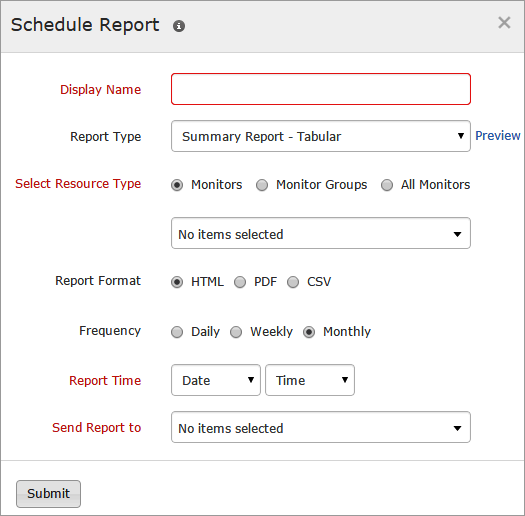
- Specify the following details to add the scheduled report:
- Click Submit.
- The report created will be automatically listed in the Scheduled Reports screen along with the other reports created already.
Suspend/Activate the Report
- Click on the report which you want to suspend or activate in the Schedule Reports screen.
- Click Suspend/Activate according to your preference.
The Suspend and Activate status of the report can be found under Status in the Scheduled Reports screen.
Delete the Report
- Click the report which you want to delete.
- Click Delete in the Schedule Report window.


