Customize Report
Customize reports so that customers will see your branding on it.
Customize a Report
- Click Admin > Report Settings > Customize Report
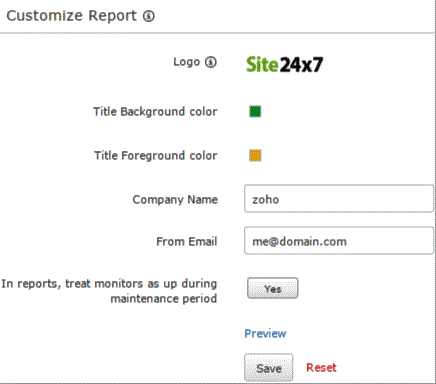
- Specify the details in Customize Reports screen to customize a report:
- Logo: Use the default logo or click to upload your own logo for the reports.
- Title Background and Foreground color: Choose the appropriate color from the colorpicker to set foreground and background color for the report.
- Company Name: Enter a company name to replace the default name in your reports.
- From Email: Specify the email id from which you will receive the report.
- In reports, treat monitors as up during maintenance period: Enable the toggle button to exclude maintenance windows marked as down in reports.
- Preview: Click this option to view a preview of your customization.
- Click Save.