Business Hours
Define business hours so that you can segment data in reports and SLAs by time period that is most critical to your business.
Define Business Hours
- Click Admin > Report Settings > Business Hours
- Click Add Business Hours in Business Hours screen.
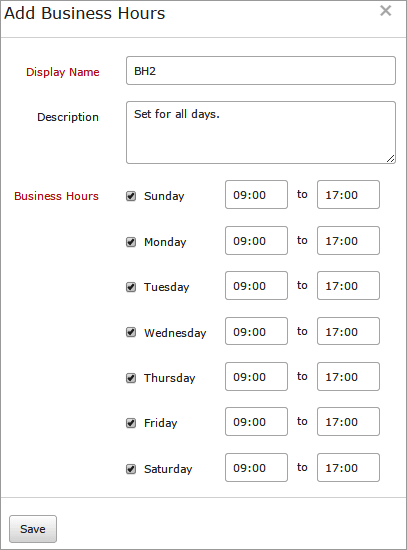
- Mention the following details to add Business Hours
- Display Name: Provide a name for identification purpose.
- Description: Provide a description that gives the nature of the business hour.
- Business Hours: Define the business days and working hours as laid out in the SLA. The time should be in 24 hour, HH:MM format.
- Click Save.
- The Business Hours created will be automatically listed in Business Hours screen along with other SLAs already created.
Edit Business Hours
- Click the profile which you want to edit.
- Edit the parameters which needs to be changed in Update Business Hours window.
- Click Save.
Delete Business Hours
- Click the profile in Business Hours screen which needs to be deleted.
- This will navigate to Edit Business Hours window.
- Click Delete.


