
Audit Logs in StatusIQ
Audit Logs in StatusIQ provide a centralized record of configuration changes and administrative activities performed across your account. They help you track who performed an action, when it was performed, and what was changed, making it easier to investigate issues, meet compliance requirements, and maintain operational accountability.
What are the use cases of Audit Logs?
Audit Logs are useful in several day-to-day operational and compliance scenarios, including:
- Investigating unexpected configuration changes: Identify who modified a status page, incident, component, or user settings when an unexpected behavior occurs.
- Meeting compliance and audit requirements: Maintain a historical record of administrative activities to support internal audits and compliance frameworks such as ISO 27001 and SOC 2.
- Troubleshooting operational issues: Review recent changes to quickly determine whether a configuration update caused an incident or unintended changes to your status page configuration.
- Tracking administrative accountability: Verify which administrator created, updated, or deleted resources across your StatusIQ account.
How to access Audit Logs in StatusIQ?
Follow the steps below to access Audit Logs in StatusIQ:
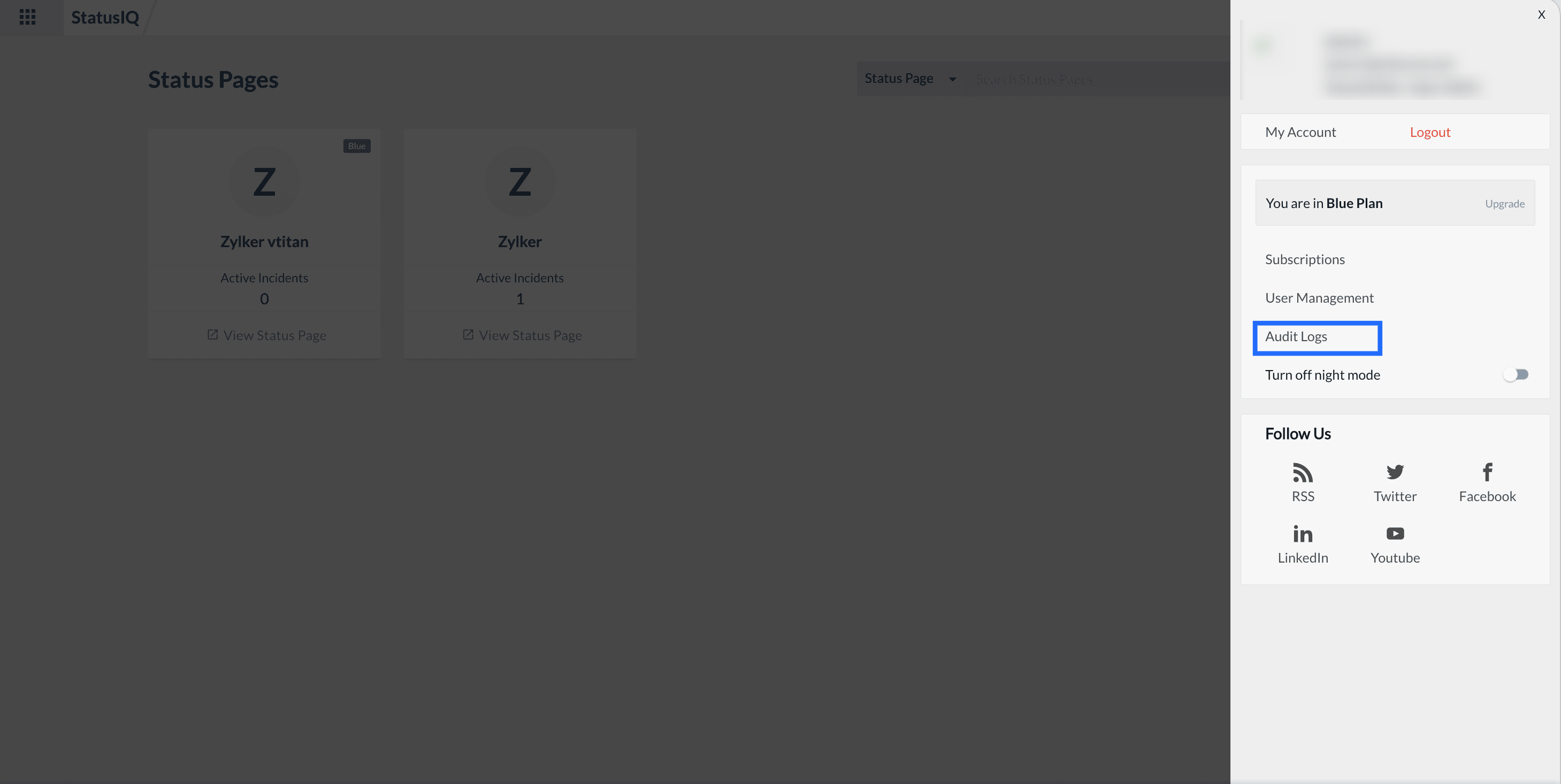
- Log in to your StatusIQ account.
- Click the profile icon in the upper-right corner.
- Select Audit Logs.
What information is available in Audit Logs?
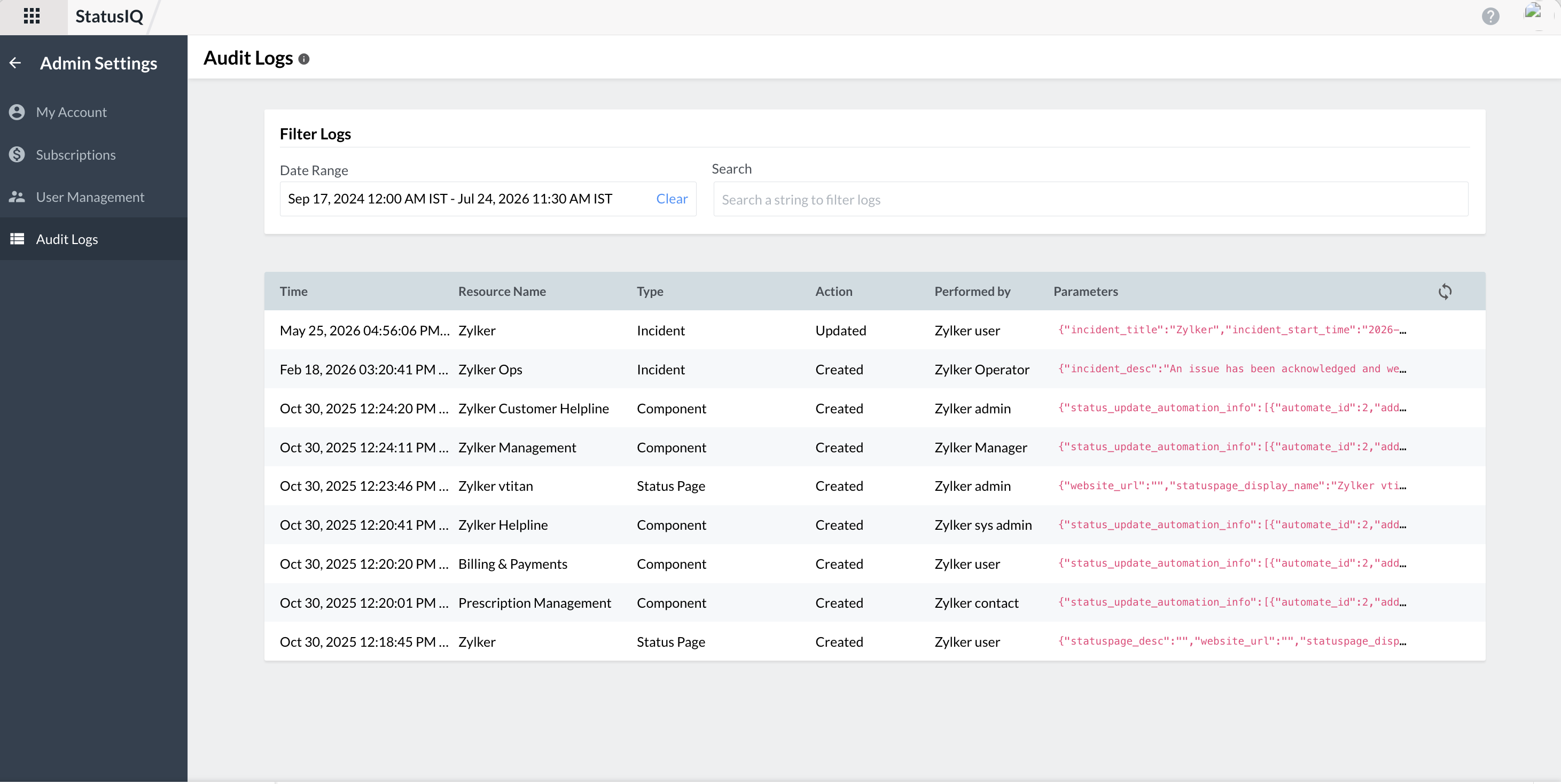
The Audit Logs page has two sections to simplify review account activities.
Filter section
The Filter section provides two ways to filter you logs.
- Use the Date Range filter to display activities within a specific time period.
- Use the Search option to quickly locate audit records by searching for specific resource names or relevant keywords.
Details section
Each audit entry in the Details section includes the following information:
- Time: Date and time when the activity was performed.
- Resource Name: The resource affected, such as a Status Page, Incident, or Component.
- Type: The category of the resource.
- Action: The operation performed, such as Created, Updated, or Deleted.
- Performed by: The user who carried out the action.
- Parameters: A detailed record of the configuration values or attributes modified during the action.
How long is data retained in Audit Logs
Audit log records are retained for 13 months, allowing you to review historical changes for troubleshooting, compliance audits, and governance purposes.