Security News and Incidents
Security News and Incidents provides real-time updates on trending security news and breach-related incidents from across the globe. By consolidating breach intelligence and security updates within the platform, this feature helps organizations stay aware of emerging threats, assess potential impact, and take proactive action to reduce digital risk exposure. It eliminates the need to track multiple external sources and ensures critical updates are accessible in a centralized view.
Use cases
The users can keep themselves informed by:
- Monitoring global security breaches that may impact their organization or vendors.
- Tracking trending cybersecurity incidents to assess potential exposure.
- Quickly identifying impacted data types and severity levels for faster response.
Accessing Security News and Incidents
To access Security News and Incidents, follow the sequence of steps given below:
- Log in to Digital Risk Analyzer.
- Navigate to Home > Latest Security News
 icon.
icon.
Understanding Security News and Incidents
Security News and Incidents features the latest cybersecurity news under the following sections:
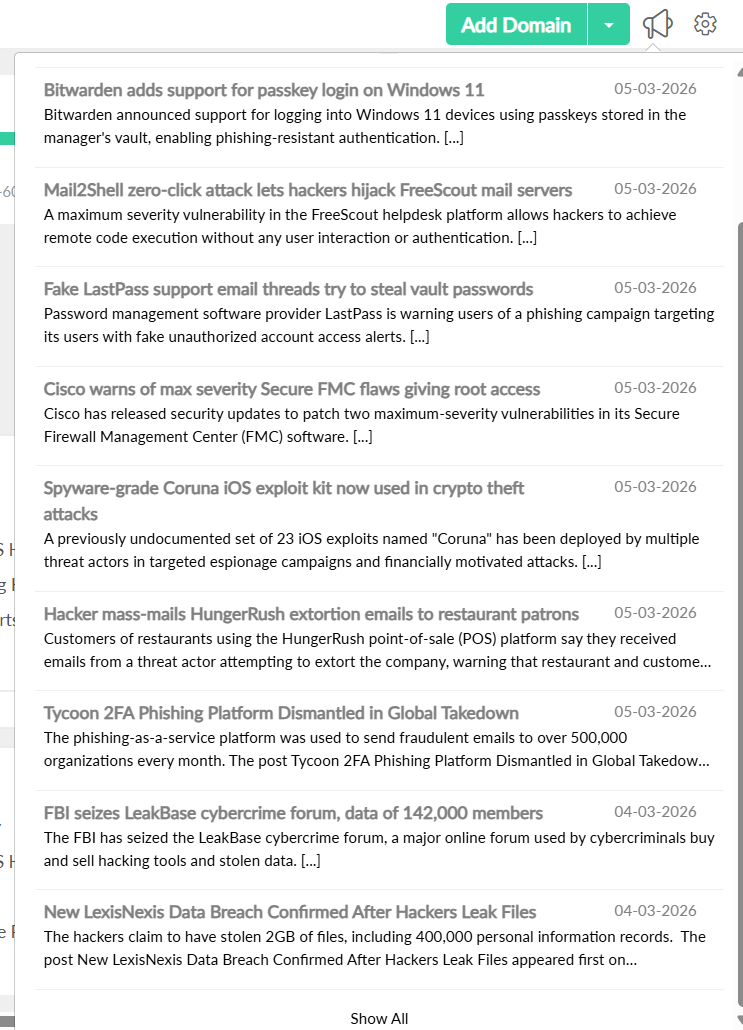
Latest Security News
The Latest Security News section provides a quick snapshot of recent breach-related updates. It highlights the most recent and relevant security incidents from around the globe so users can immediately understand current threat trends without navigating deeper into reports. To read more detailed news, click the Show All option.
Security News and Incidents
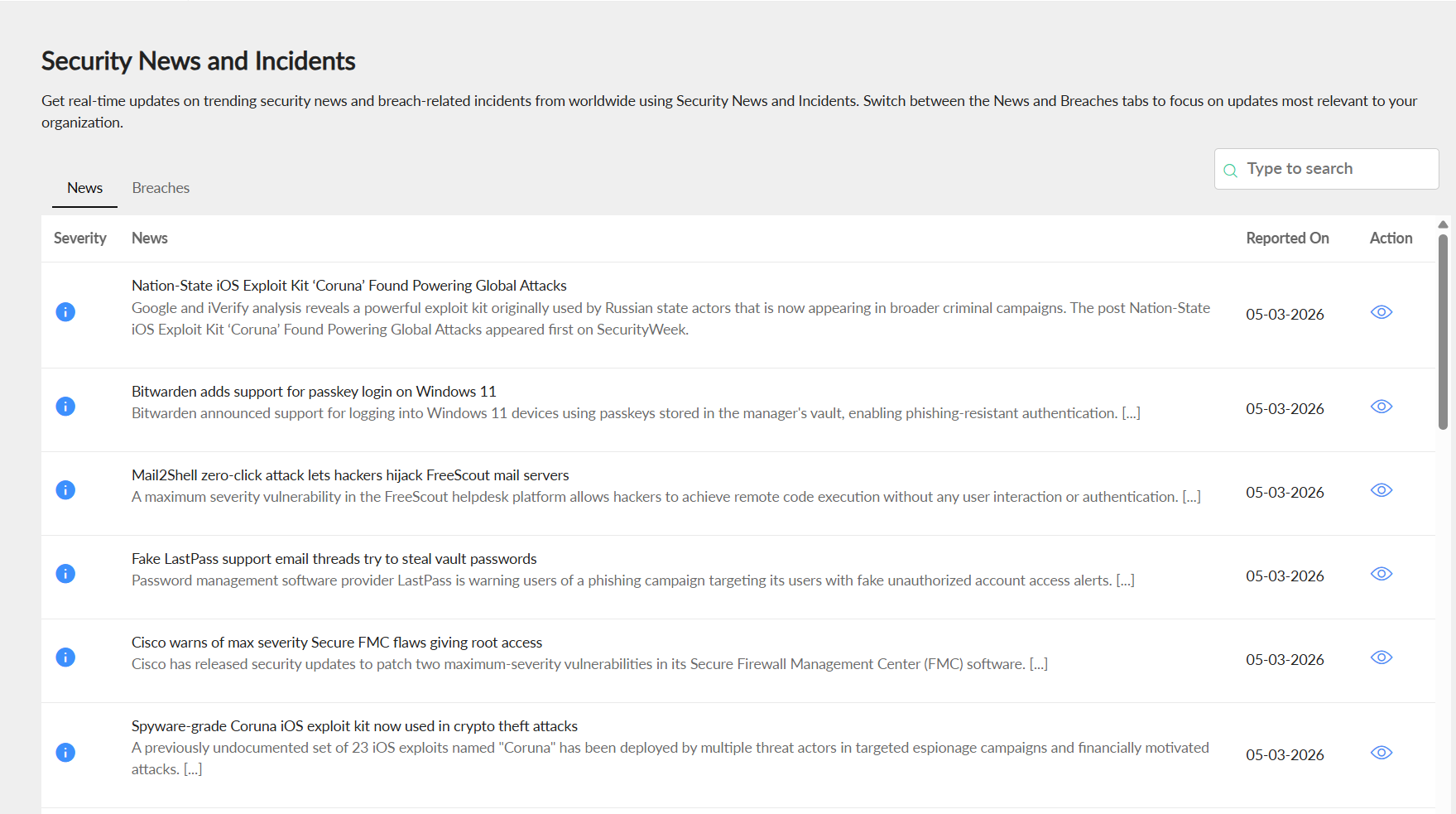
The Security News and Incidents section categorizes the content under the following two sections:
- News: The News tab displays trending cybersecurity stories, industry updates, and major security developments that may influence risk posture.The search bar allows you to search for any specific news. You can know the reported date of the news. Click the view icon
 under the Action tab to open the corresponding news article.
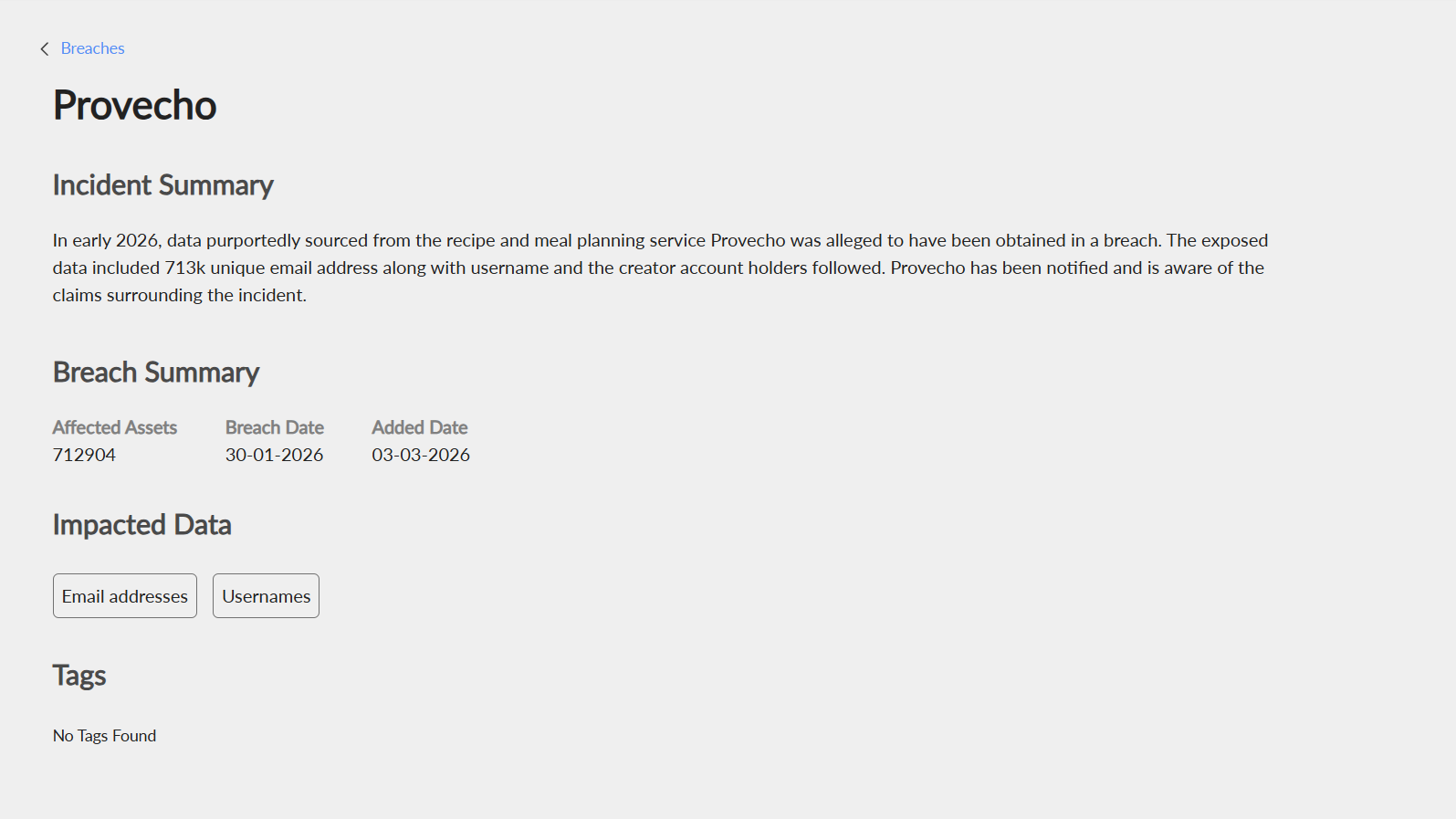
- Breaches: The Breaches tab lists confirmed data breach incidents, providing focused visibility into exposed organizations and compromised data events. By clicking on any breach, you will have a detailed overview including:
- Incident Summary: Provides a concise explanation of the security event, outlining what occurred and its broader implications.
- Breach Summary: Explains the details of confirmed breach incidents, including affected entities, the date of the incident, and the date on which it was reported.
- Impacted Data: Specifies the types of data exposed, such as email addresses, phone numbers, or other sensitive information and the nature of the compromise.
- Tags: Tags help classify incidents using labels such as verified, sensitive, or malware-related. These tags provide quick contextual understanding and help users filter relevant records efficiently.