Monitor your distributed DNS infrastructure with our DNS monitoring tool
DNS monitoring is critical in ensuring the uninterrupted availability and performance of your DNS servers. Site24x7's DNS server monitoring tool continuously checks the availability and response time and lets you stay ahead of potential domain resolution errors.
Start 30-day free trial Try now, sign up in 30 seconds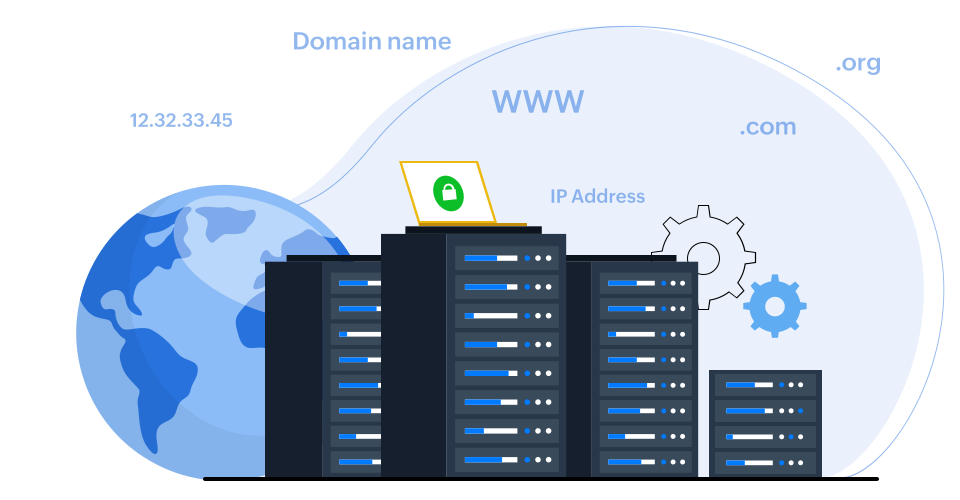
DNS server monitoring for critical services
Keep your website running and accessible with Site24x7's DNS monitoring. It constantly checks your domain name servers' health, ensuring fast loading times and preventing frustrating timeouts. This proactive monitoring helps you identify and troubleshoot any DNS issues before they impact your visitors.
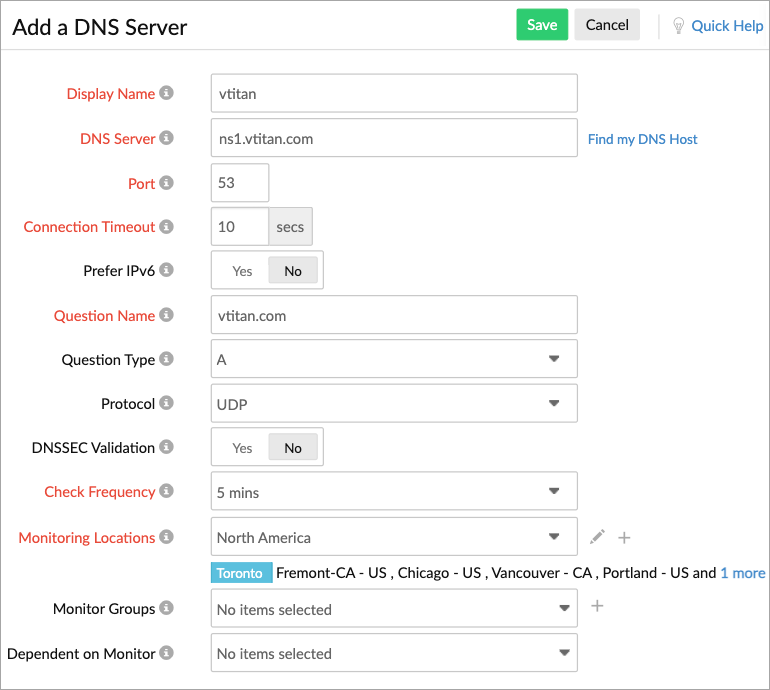
Obtain visibility into the health of your DNS servers with these metrics:
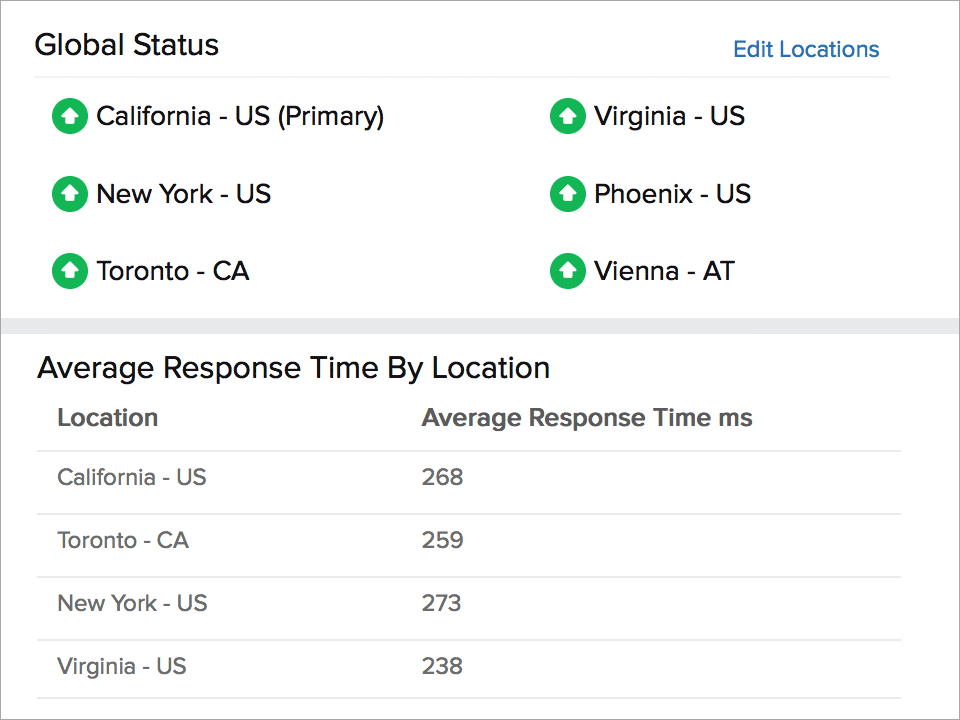
- DNS response time: Lets you see how quickly your domain name server responds to requests and shows the average response time from different monitoring locations around the world, giving you a global perspective of performance.
- DNS record type: Checks if the specific type of record you're looking for (e.g., an A record or MX record) is present in your DNS configuration or not.
- DNS record name and search value: Ensures your website visitors are directed to the correct location and verifies if the name retrieved during a lookup matches the intended search value you configured.
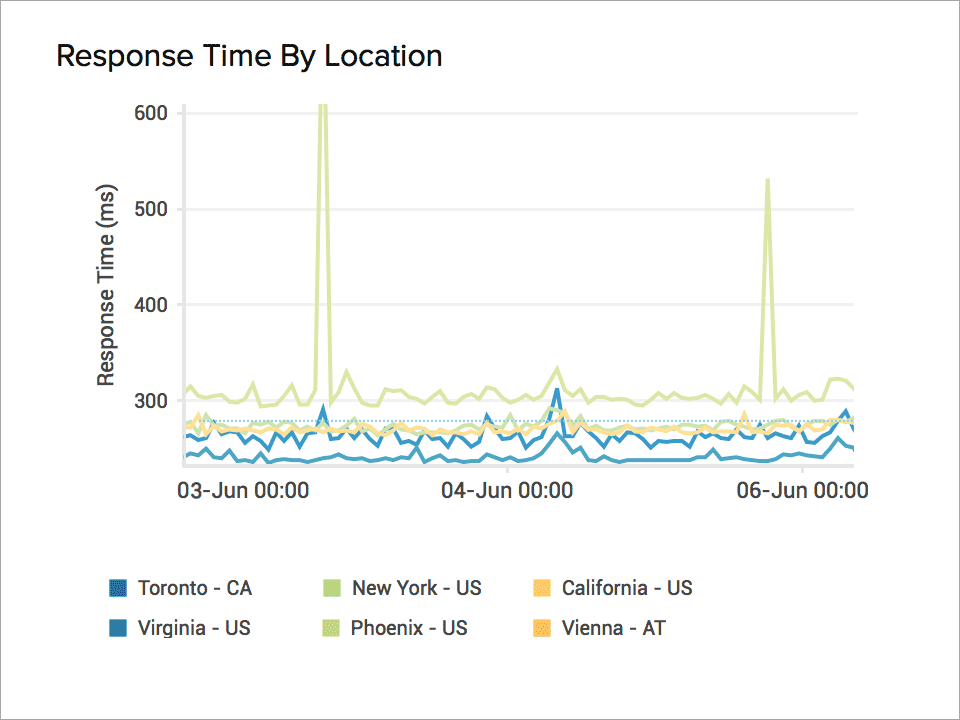
Get your domain name resolved from 130+ global locations
Leverage our global network of 130+ monitoring locations to gauge the response times of your distributed DNS servers. This comprehensive approach ensures the efficient resolution of domain names for all your users, regardless of their geographical locations.

Resolve DNS configuration issues
Uncover the root causes of DNS server failures, including outdated DNS records, IP address restrictions, and misconfigured recursive servers.
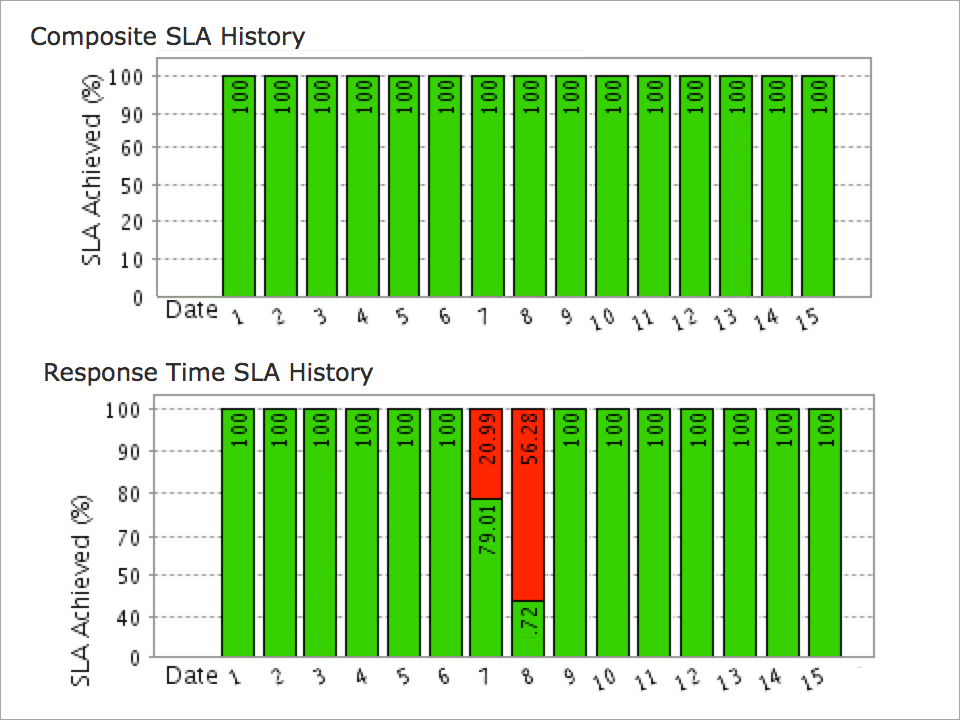
Manage SLAs of DNS hosting providers
Ensure that your hosting providers are abiding by service quality standards in terms of availability and response times with minimum latency with the help of our SLA reports for your DNS servers.
Comprehensive DNS server performance reports
Our exhaustive reports outline performance, availability, health trends, busy hours, and response times with in-depth summary evaluations of your domain name servers. With our root cause analysis report, you can zero in on the exact cause of downtime and keep track of errors and outages as they occur.
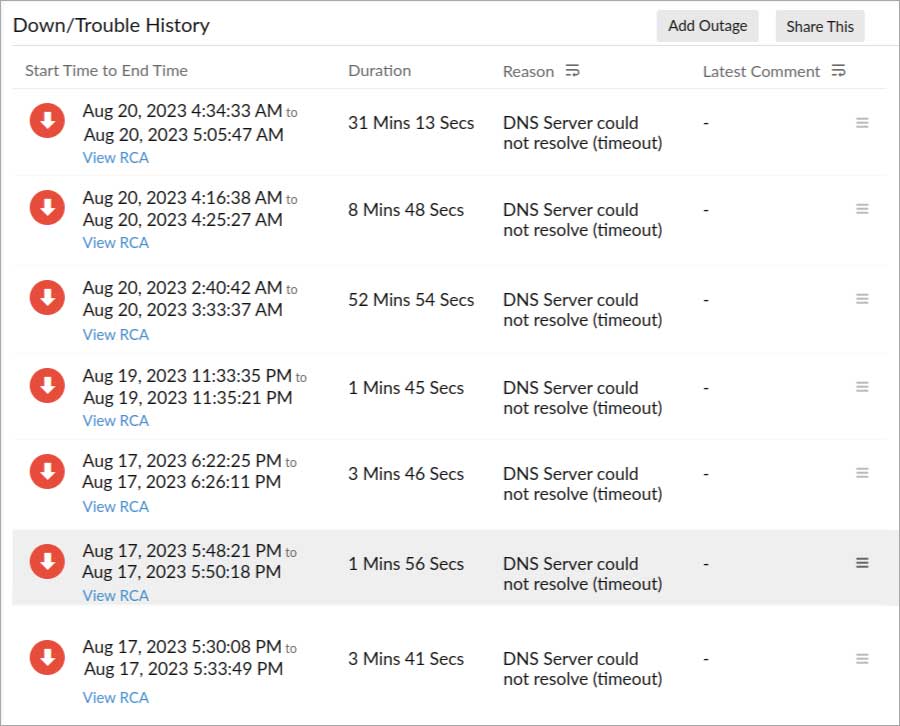
Monitor DNS errors and stay on top of outages
Proactively identify potential DNS failure causes—including network disruptions, configuration errors, dynamic updates, and root server inaccessibility—and troubleshoot and resolve issues before they impact end users with our DNS monitoring tool. Additionally, receive immediate notifications about downtime or unavailability through voice calls, SMS messages, IMs, RSS feeds, and push notifications on Android and iOS devices.
Overview of DNS monitoring
1. What is DNS monitoring?
DNS monitoring checks whether a hostname is resolved correctly and regularly tracks DNS records to ensure that communication between the browser and the website is secure. In case of a security breach, an unresponsive website, or failure to identify the resolved IP, the DNS monitoring tool will send an alert. With DNS server monitoring, you can keep a track of IP addresses, start of authority (SOA) records, mail exchange (MX), service record (SRV), and name server (NS) records.
2. What is a DNS monitoring tool?
A DNS monitoring tool helps to track the performance and health of your domain name system (DNS) infrastructure. It enables you to identify and resolve issues that may be affecting your website's availability or performance. Moreover, you can track DNS requests and responses in real time to identify issues as they occur.
3. Why is DNS server monitoring important?
DNS is a major target for hackers. Without monitoring support, common attacks like DNS poisoning or distributed denial of service (DDoS) can happen to you. This can lead to loss of customer trust, a tarnished brand reputation, and hours of downtime. With a DNS monitoring tool, you can check the localized or non-localized outages, identify manual errors or hacker attacks, and retain the credibility and security of your websites.
4. How does DNS monitoring work?
DNS monitoring tools regularly check the availability and security of DNS services to identify any unnecessary changes or malicious additions. This helps to fix issues before they affect your end users. Monitoring is done from multiple global locations to identify any issues in your distributed DNS servers. The DNS monitoring tool also helps to identify the issue, monitor the status, and more. Immediately after identifying any issue, the tool will send an alert.
5. Why choose Site24x7 as your DNS monitoring tool?
DNS is a pivotal part of your infrastructure, so tracking it regularly is of utmost importance. Since tracking your DNS manually is not feasible, only a monitoring tool like Site24x7 can help you with constantly monitoring the domain name servers. Site24x7 also tracks critical DNS-related metrics like response time, record type, record name, and search value from 130+ global monitoring locations. The Site24x7 DNS server monitor also provides comprehensive reports, evaluation summaries of domain name servers, and real-time alerts through preferred notification modes.
6. What are the benefits of a DNS monitoring tool?
DNS monitoring tools provide several benefits, including:
- Enhanced website performance: These tools help identify and resolve DNS-related issues that might hamper website performance.
- Improved security: DNS monitoring tools efficiently detect and mitigate DNS-based attacks like DNS spoofing, DDoS attacks, and DNS cache poisoning.
- Reduced downtime: Real-time alerts and notifications provided by DNS monitoring tools help promptly address DNS outages and failures.
- Simplified troubleshooting: Insights into DNS resolution processes, encompassing query response times, authoritative server performance, and DNS record accuracy, are provided by DNS monitoring tools, thus facilitating streamlined troubleshooting efforts.
- Efficient traffic management: DNS monitoring tools enable intelligent traffic management through DNS-based load balancing, geo-routing, and failover mechanisms, ensuring optimized traffic distribution.
7. Is there a free DNS monitoring tool?
Yes, you can sign up for a free trial of Site24x7 features and evaluate our DNS monitoring tool free of cost.